Daniels Daily District
Tuya WiFi Smart Battery Tester 18650 Capacity Meter USB Electronic Load Internal Resistance Detector with Real-Time APP Monitor
Tuya WiFi Smart Battery Tester 18650 Capacity Meter USB Electronic Load Internal Resistance Detector with Real-Time APP Monitor
Couldn't load pickup availability
SPECIFICATIONS
Battery Included: No
Certification: CE,RoHS
Choice: yes
DIY Supplies: Electrical
High-concerned chemical: None
Model Number: BW150
Power Source: DC
Type: Household Battery Tester
User manual and software download
http://en.atorch.cn/NewsDetail.aspx?ID=84
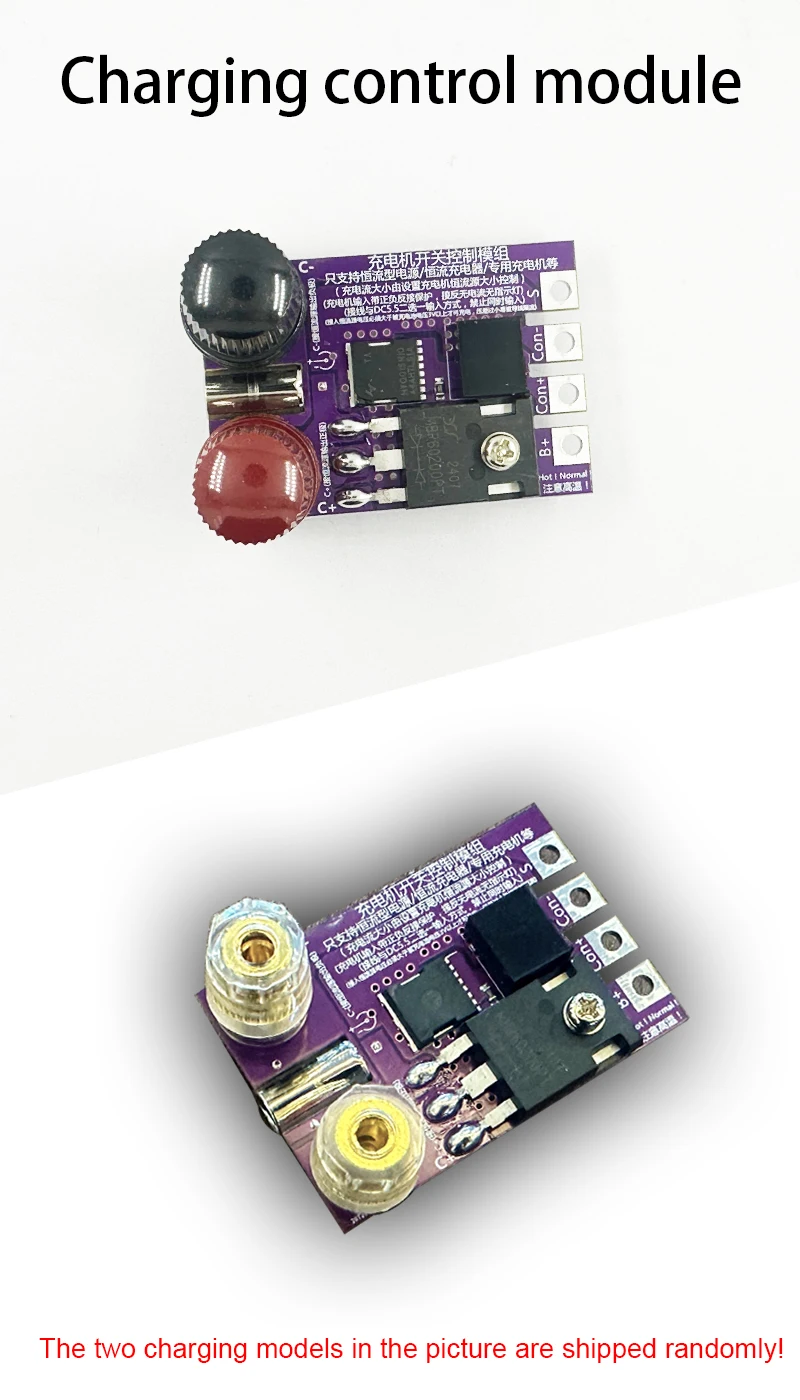
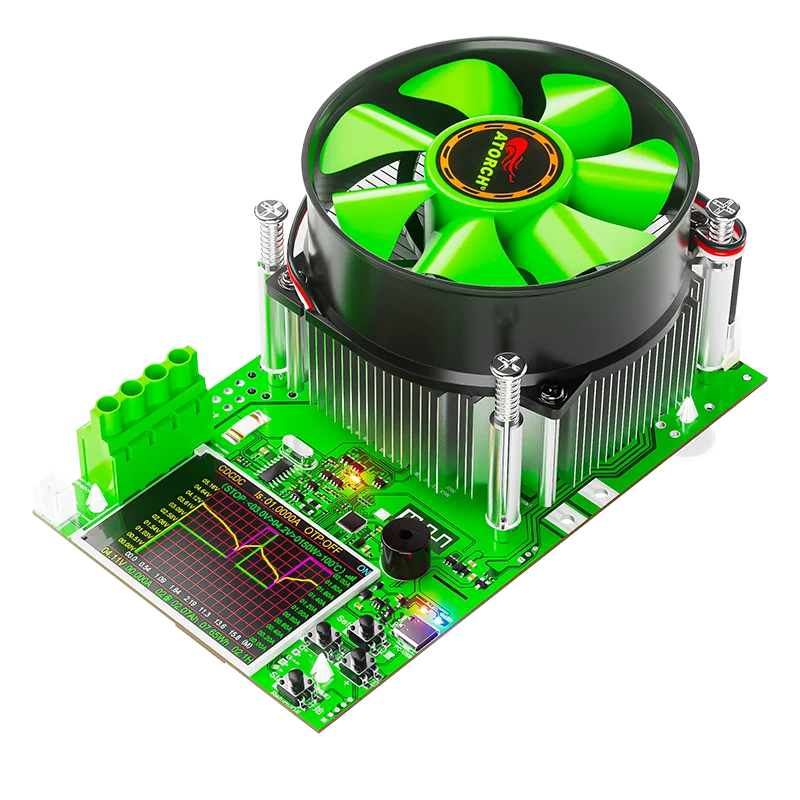
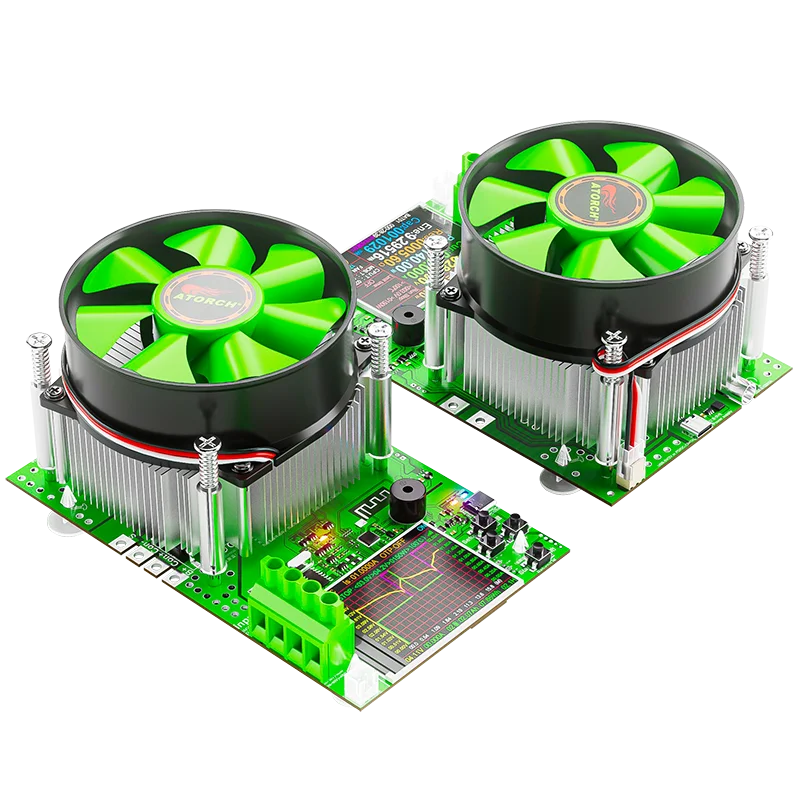
The charging module of the SKU image in the picture has been updated, and the hardware PCB of BW150 has also been upgraded. Please refer to the comparison picture for details
【Product Features】
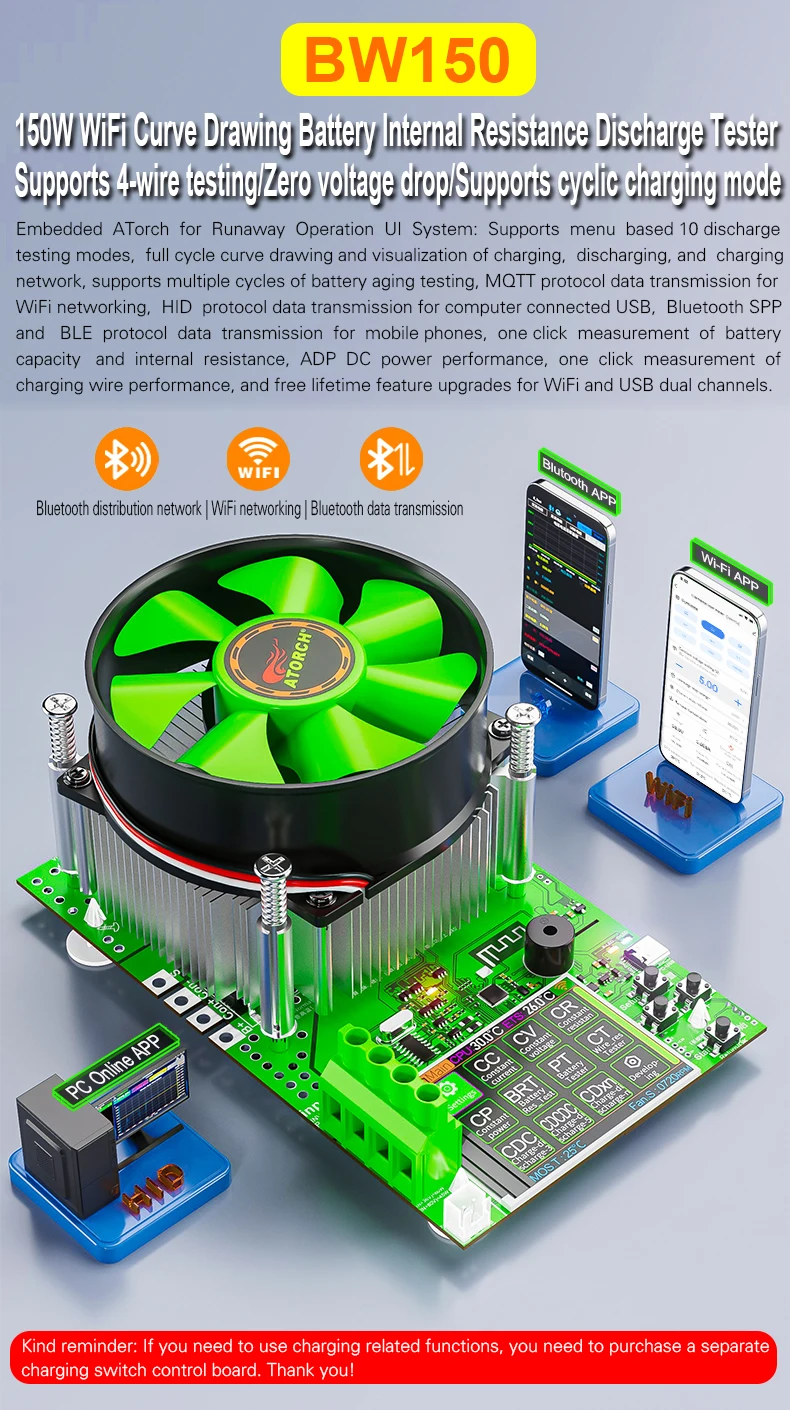
This product supports 1~200V, =1V,0.01~5A | ≥5V,0.01~25A within the maximum 150W load
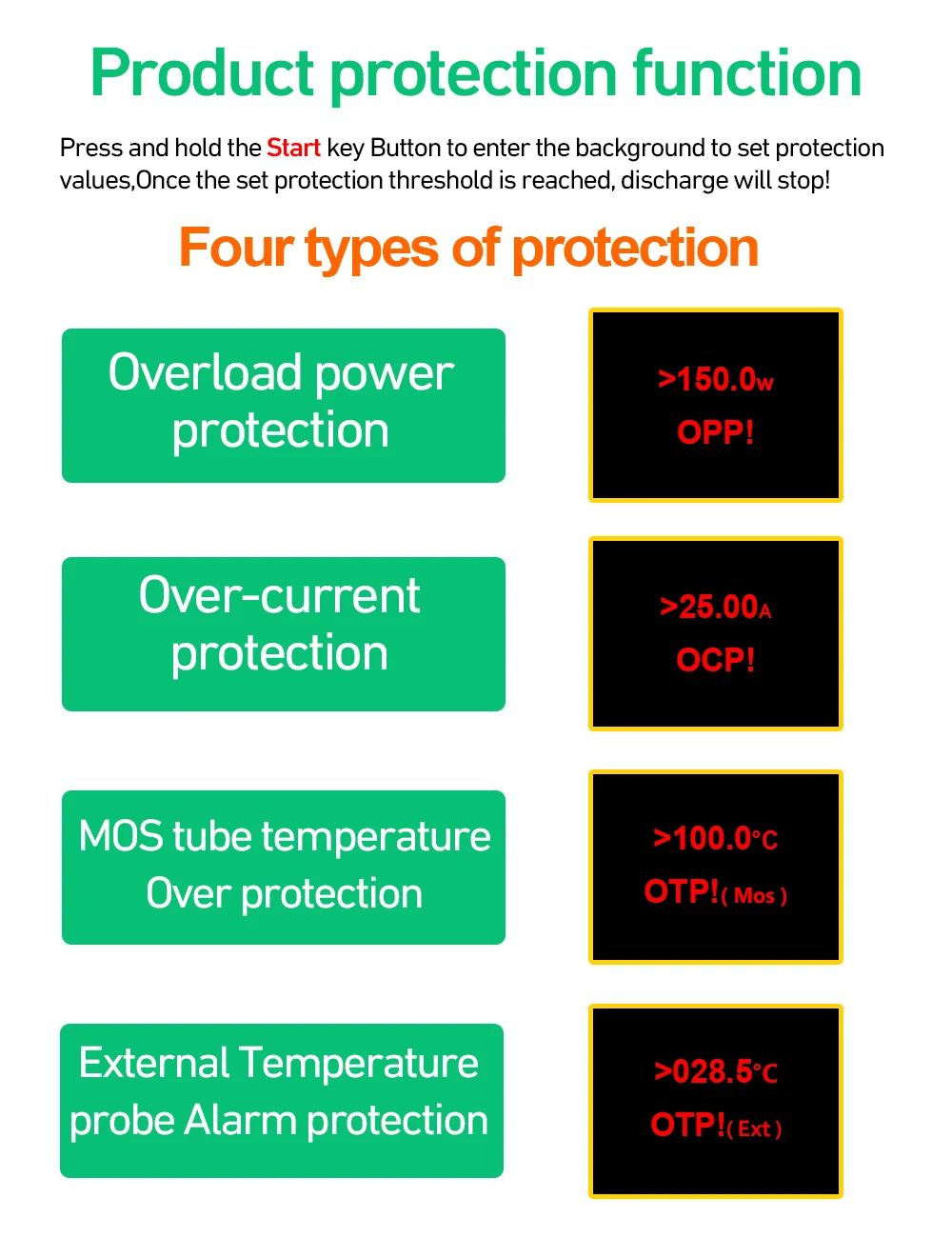
Over-voltage, over-current, over-power, over-temperature protection and reverse connection protection below 100V
Support timing shutdown and specified voltage shutdown
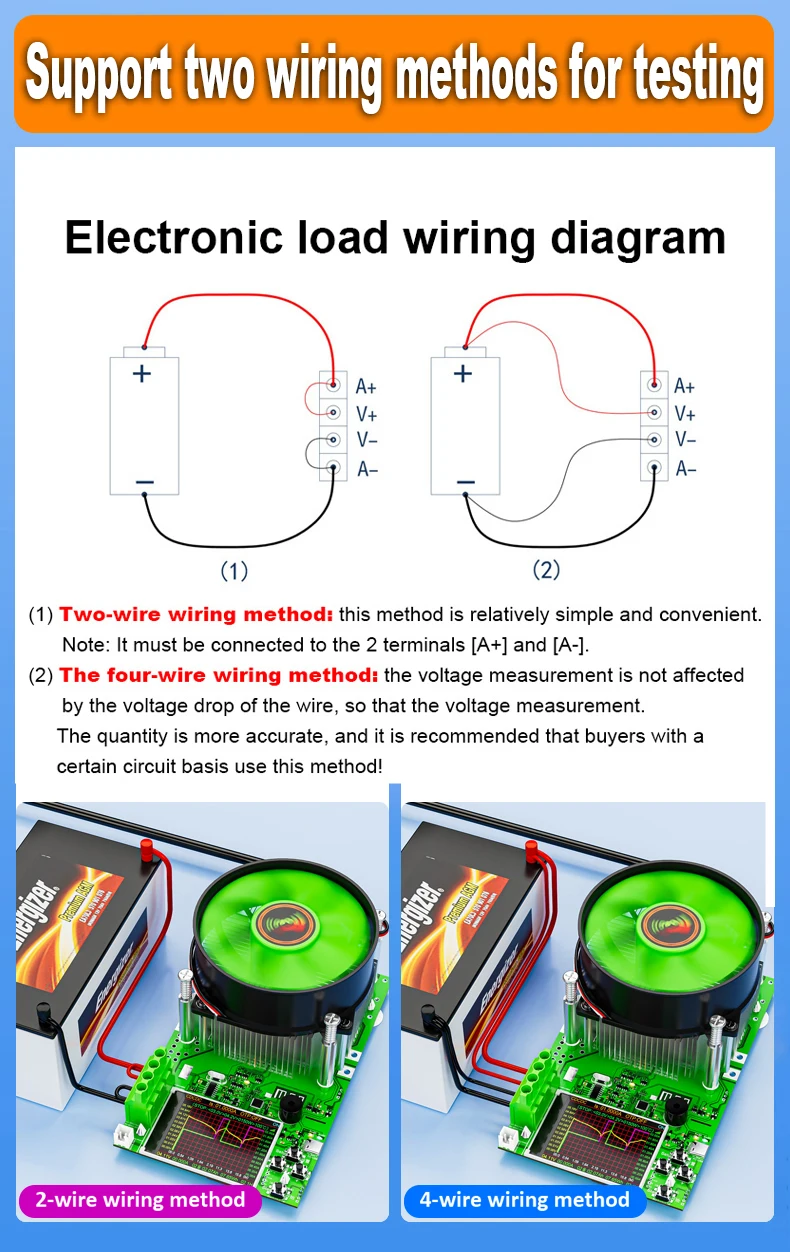
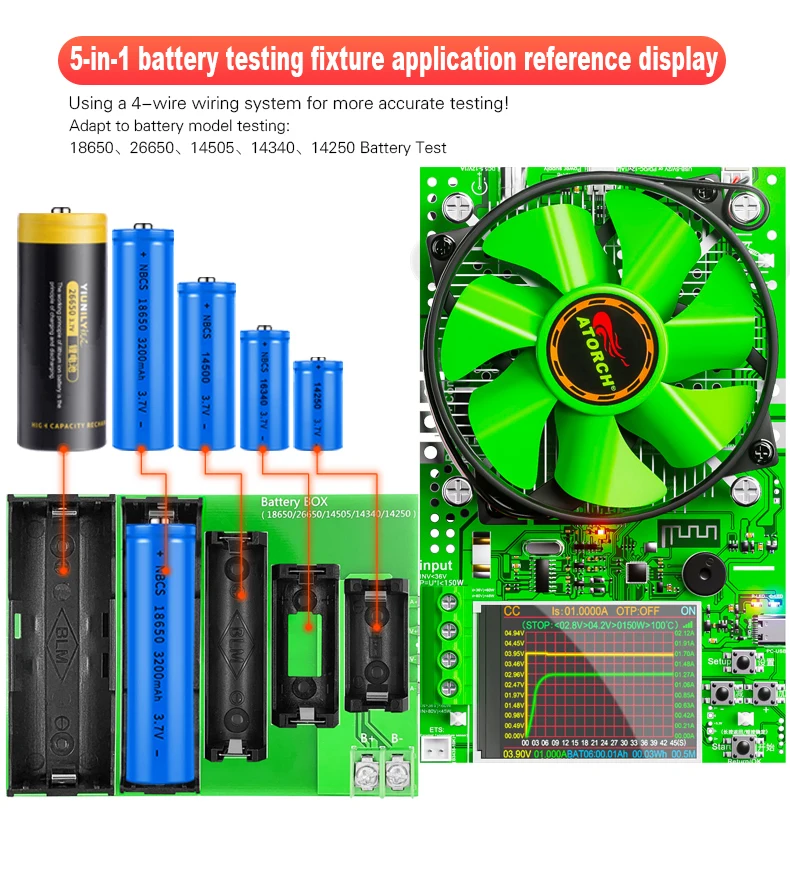
Four-wire wiring system for more accurate capacity measurement
This product can support AA, AAA batteries with a 1.5V battery test capacity
【Parameters】
Load voltage-U: DC1V~200V
Load current-I: =1V,0.01~5A | ≥5V,0.01~25A
Load power-W:U×I≤150W(max)
Power testing range, to avoid product damage!
1. Can test a 1V battery, with a maximum current of 0.01~5A
2. Voltage < 5V, maximum detectable current of 0.01~20A
3. voltage> 5V, the maximum current that can be tested is 0.01-25A
4. Voltage < 36V, maximum testable power of 150W
5. Voltage>36V,<80V, maximum testable power of 60W
6. Voltage>80V,<200V, maximum testable power of 45W
Capacity metering range:0~999999mAh
Energy measurement range:0~999999mWh
Applicable power supply: DC12V 1A/PD12V PD voltage trigger power supply (must have a PD charger)
Wiring mode: four-wire system A+ V+ V- A-
Display mode: 2.4 inch TFT color screen
Control operation: 4x button control
Heat dissipation mode: After powering on, the fan will continue to rotate. In the OFF state, when the waiting time is reached, the fan will stop. A 60S standby time can be set in the background. The fan will not stop working while the device is in operation or standby!
Over-voltage protection: support
Overcurrent protection: support
Over power protection: Support
Over-temperature protection: the core temperature exceeds 100 ℃ to stop the load (adjustable 50~120 ℃)
Time limit discharge: Support
Specified voltage shutdown:Support
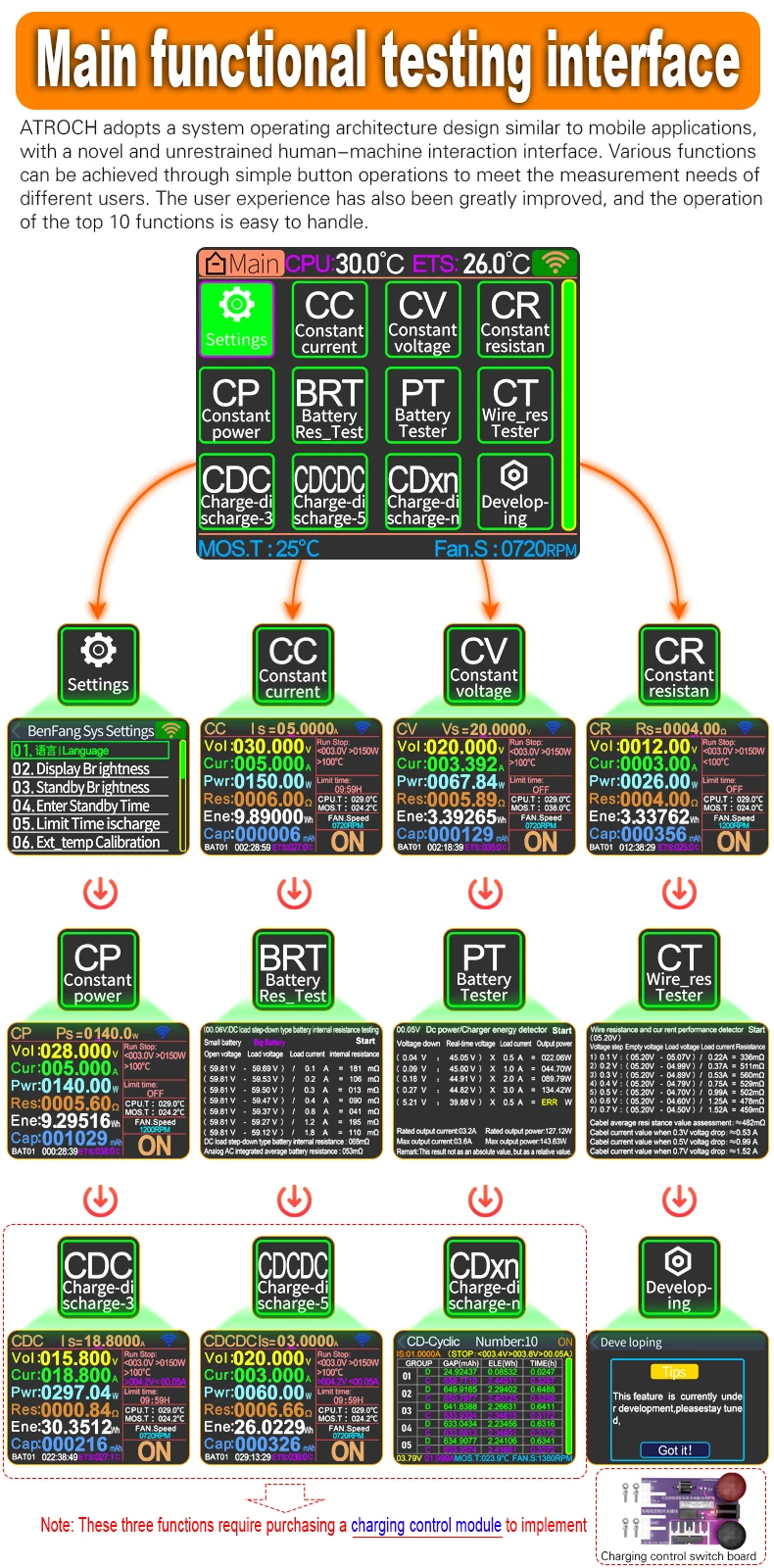
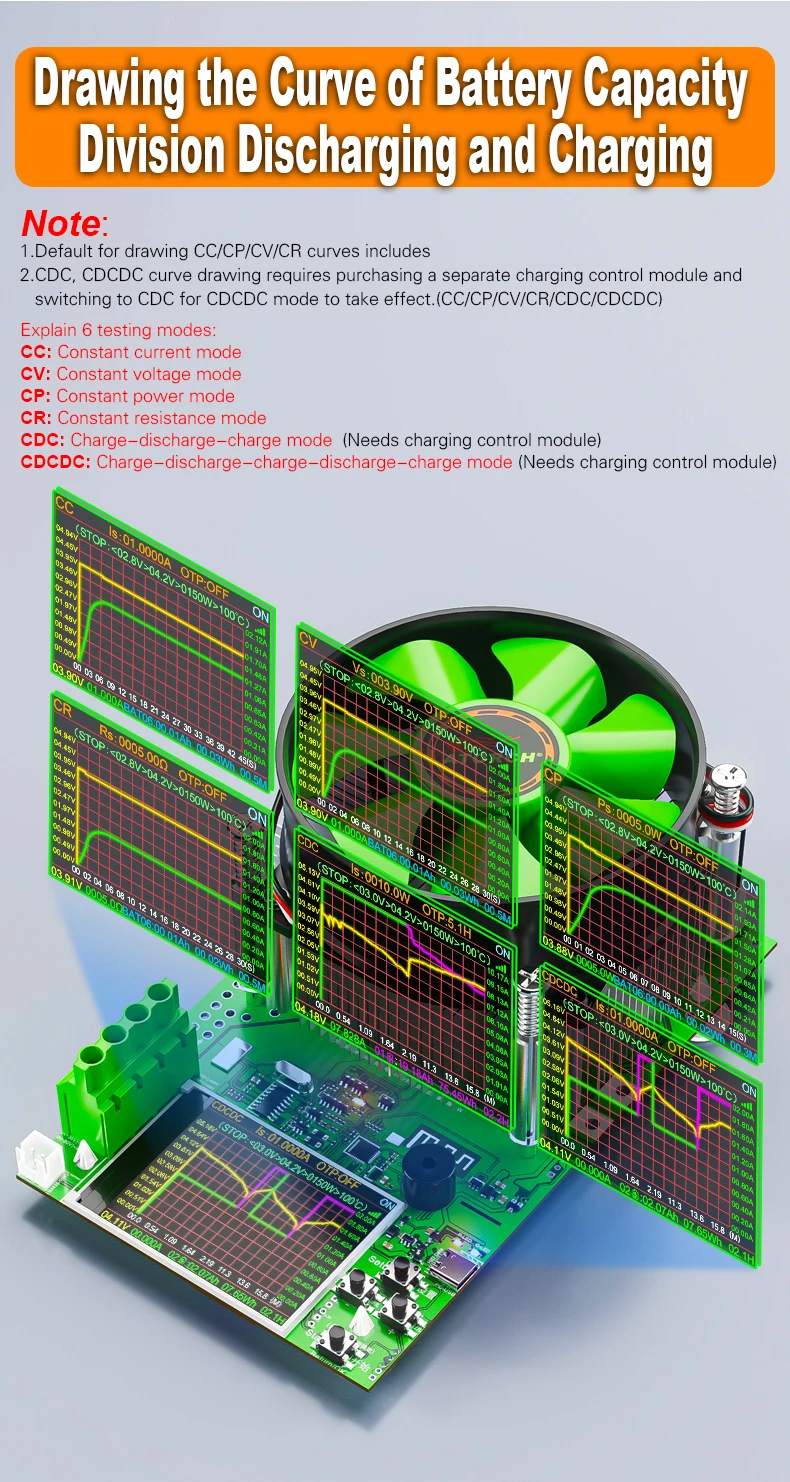
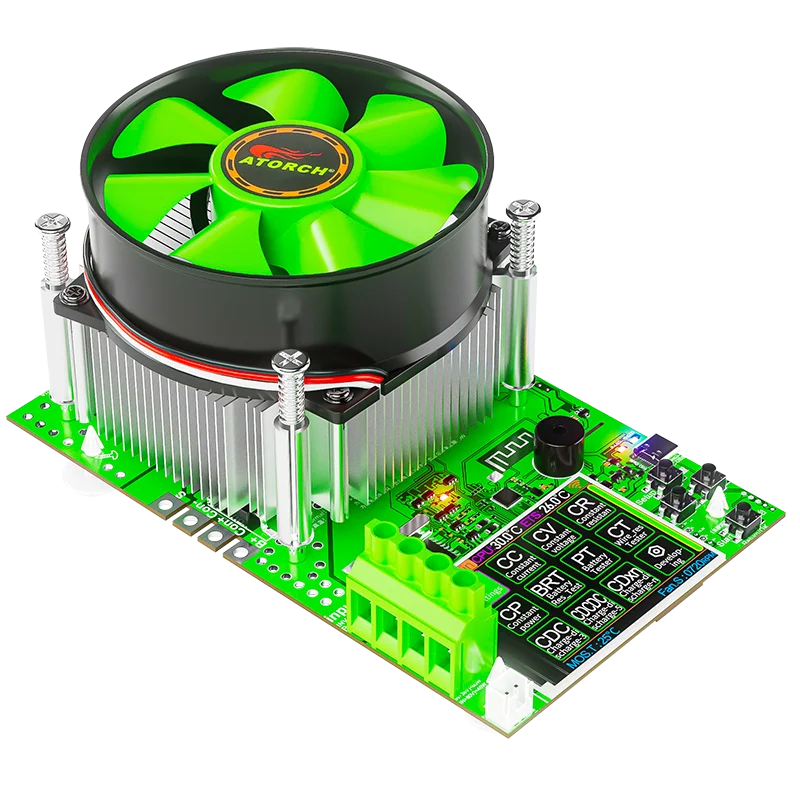
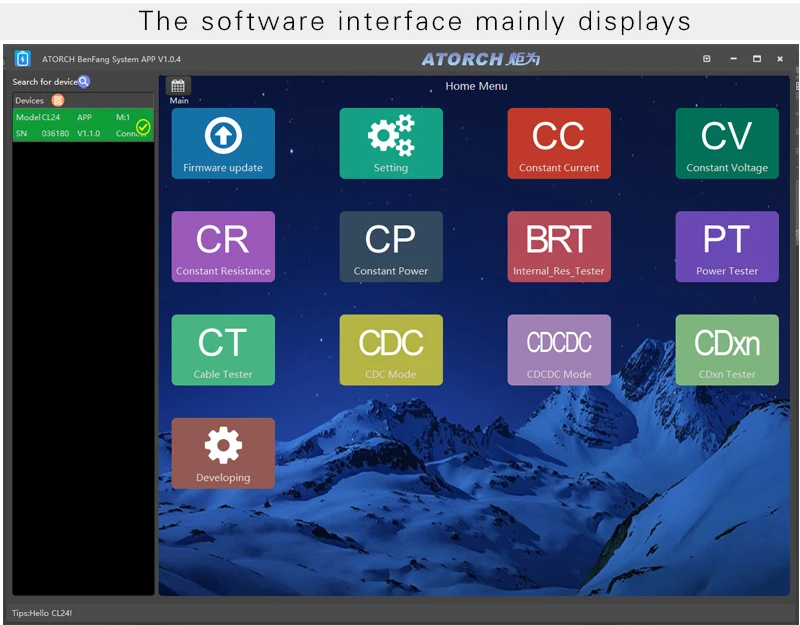
【7 test modes】Default testing function
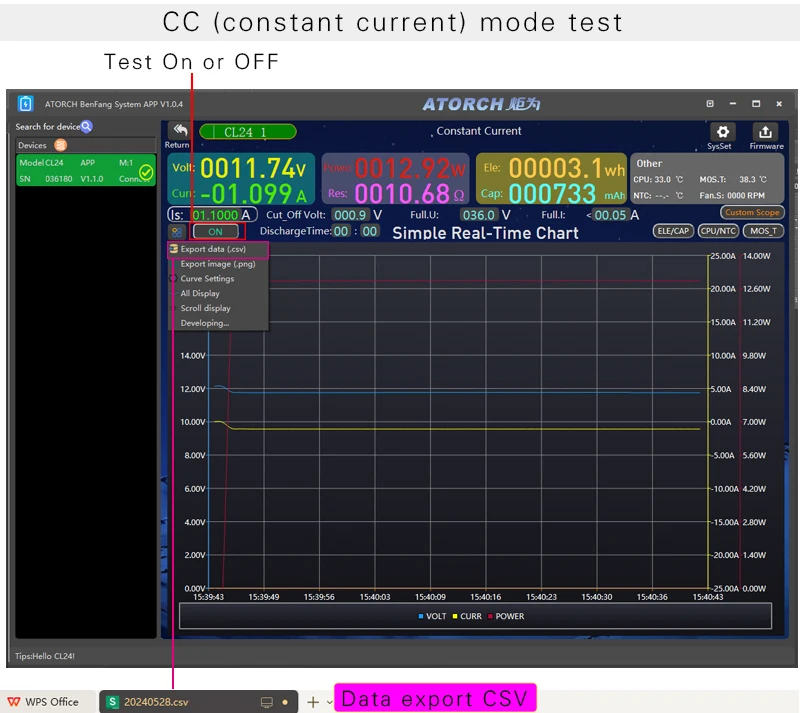
1. Constant current mode (CC): Supported
2. Constant resistance mode (CR): Supported
3. Constant Power Mode (CP): Supported
4. Constant voltage mode (CV): Supported
5. Battery Internal Resistance Test (BRT)
6. Power test(PT)
7. Cable Internal Resistance Test (CT)
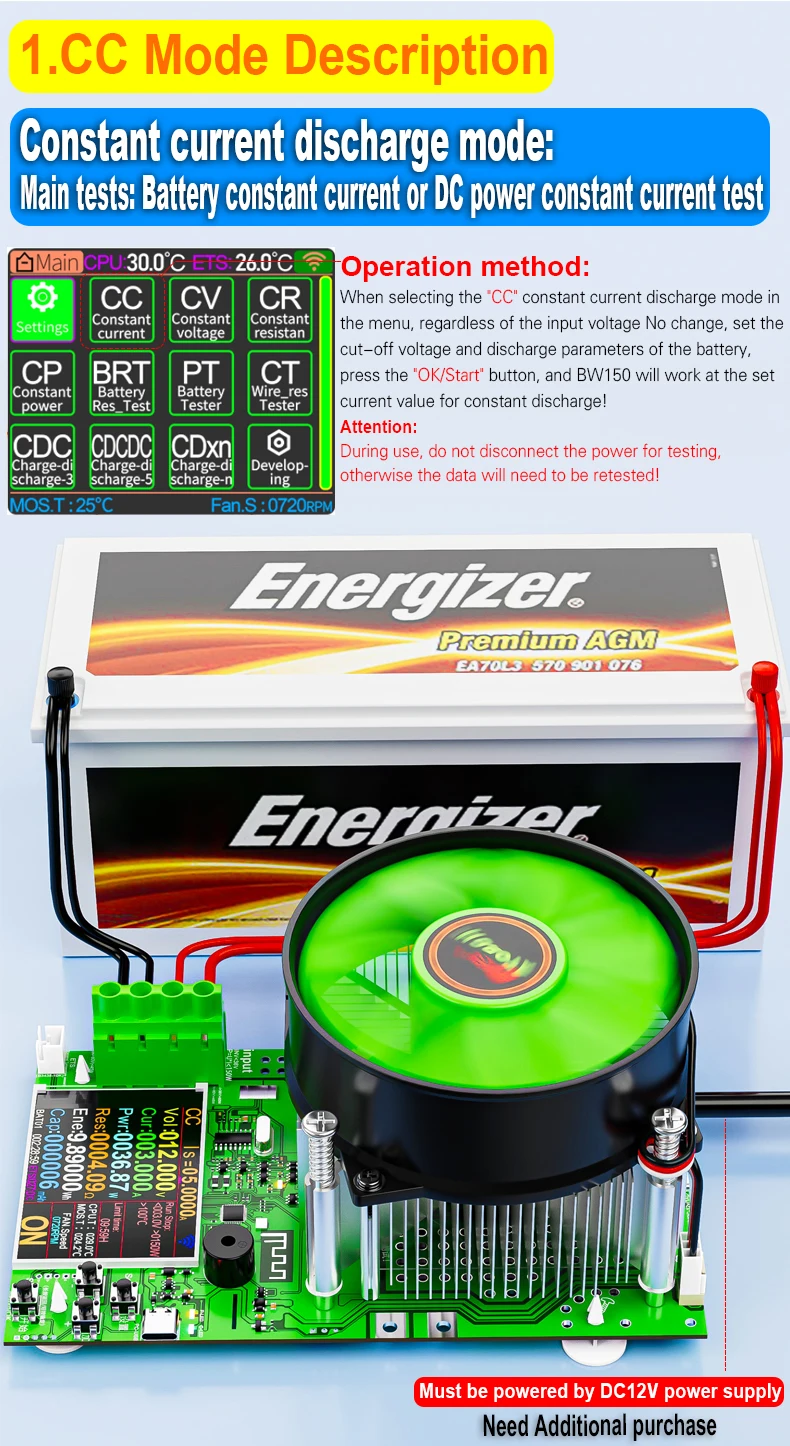
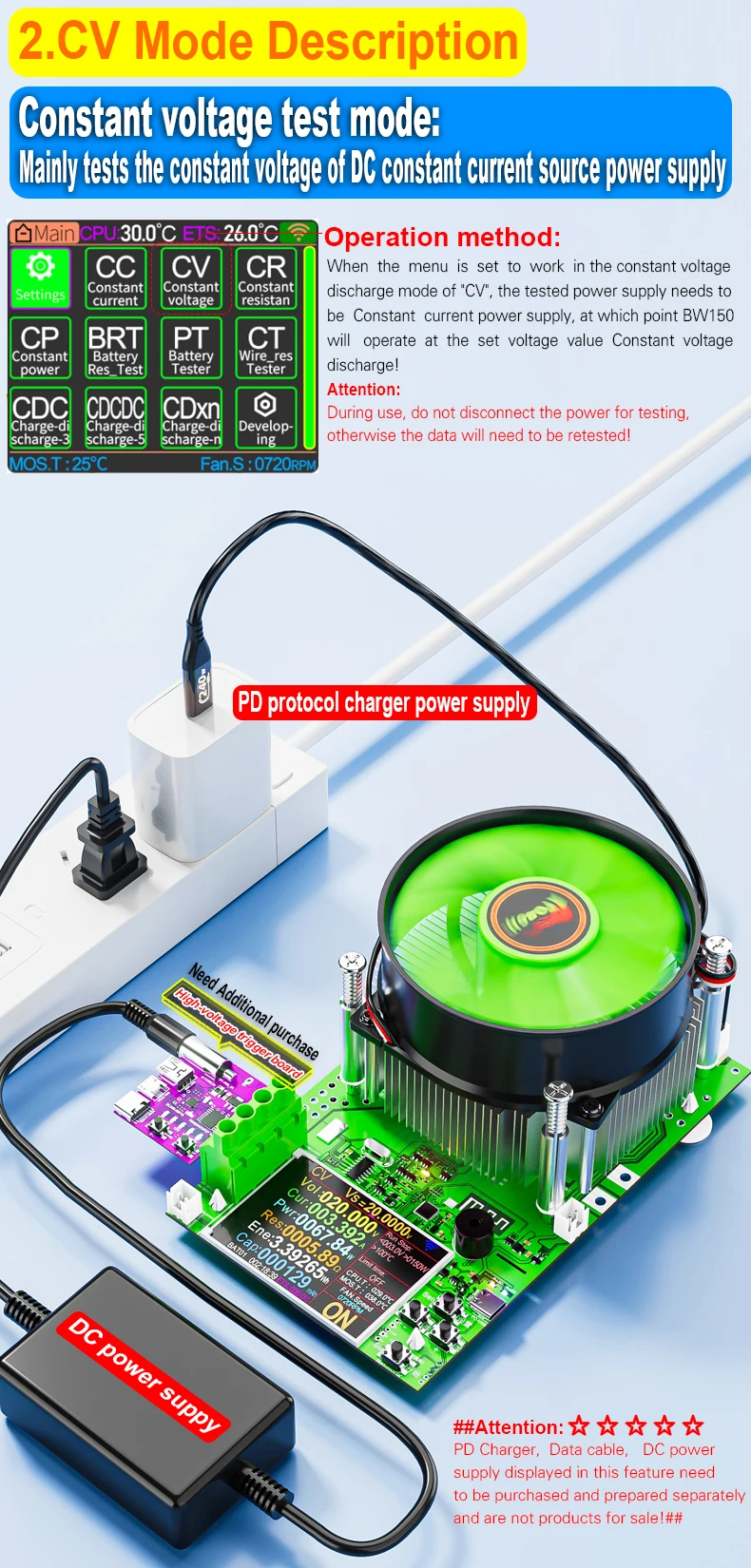
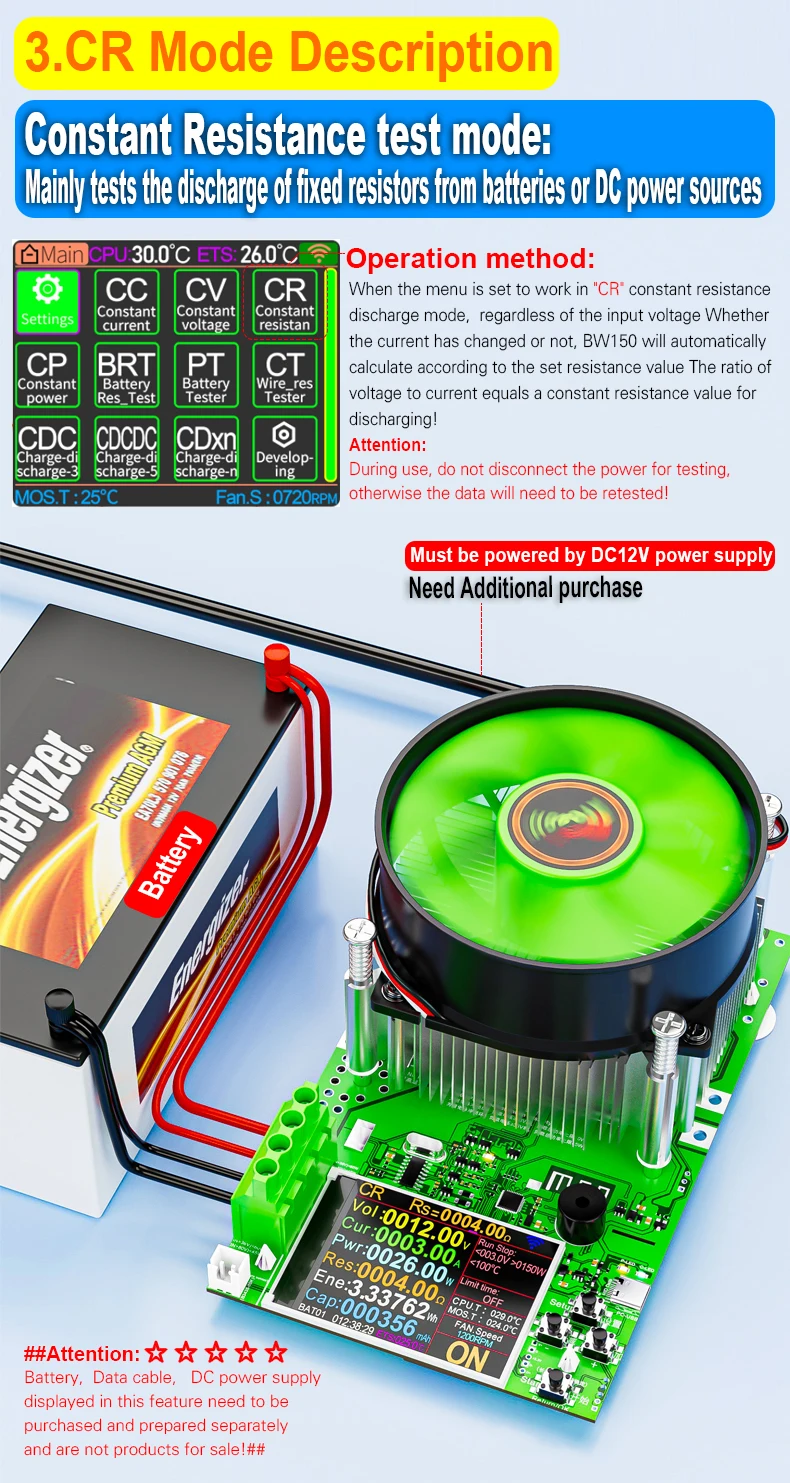
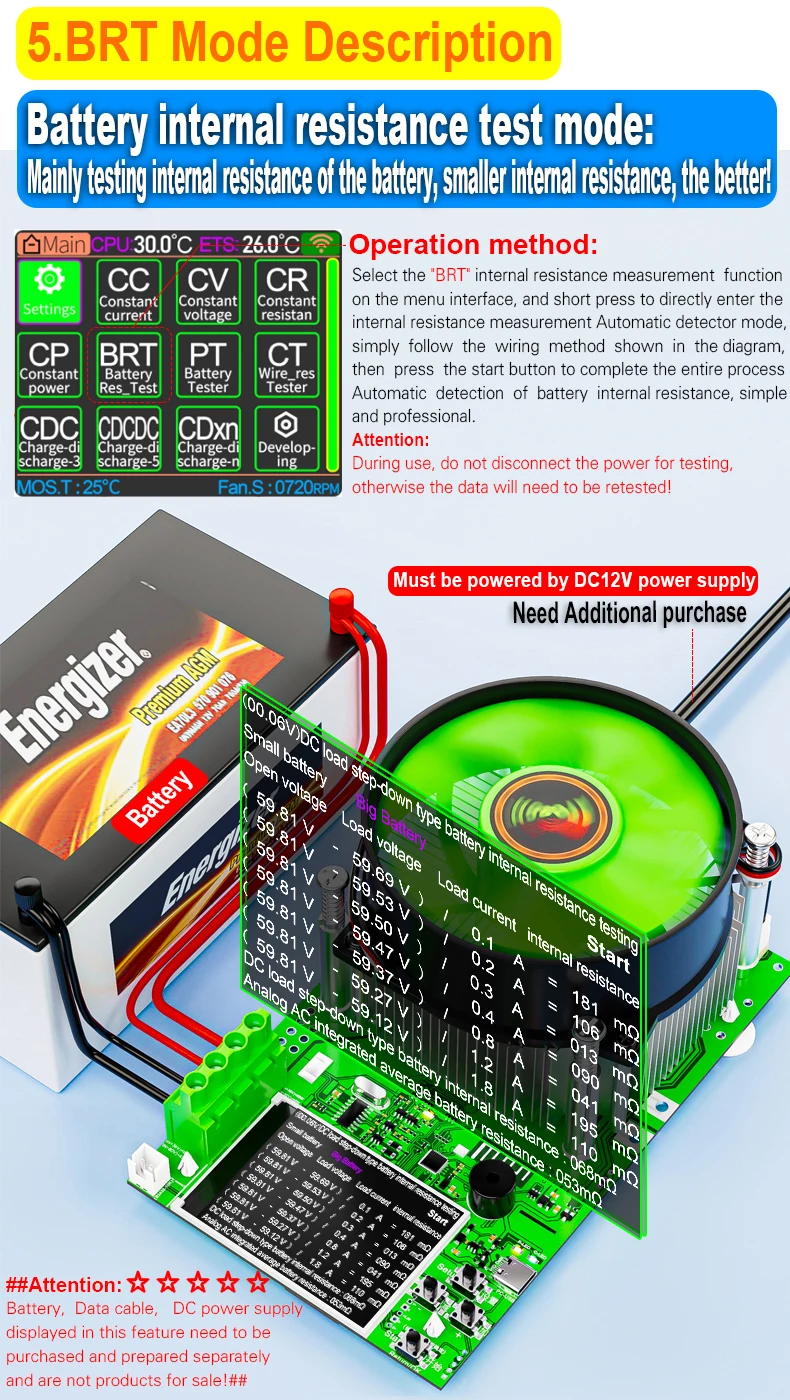
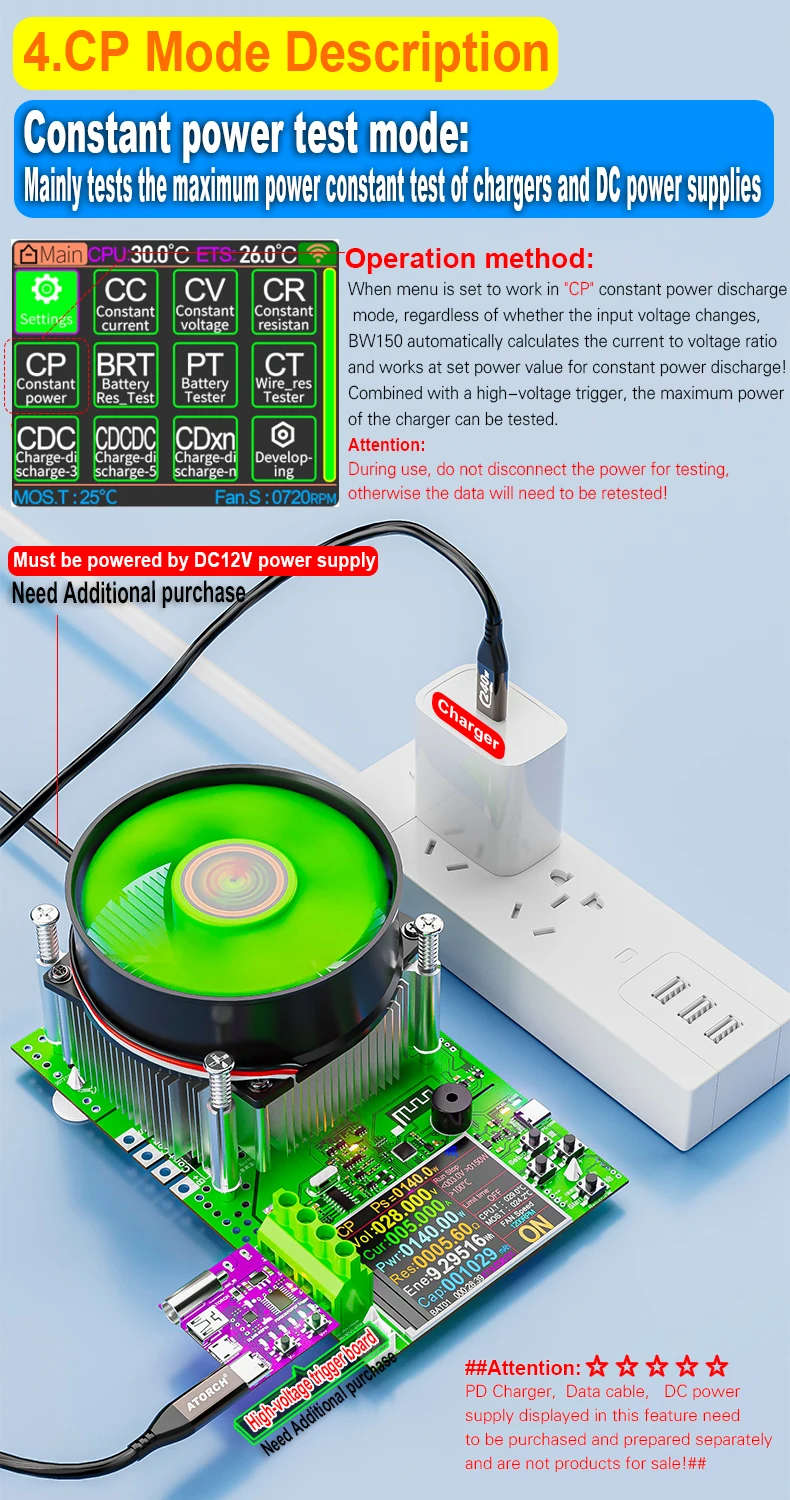
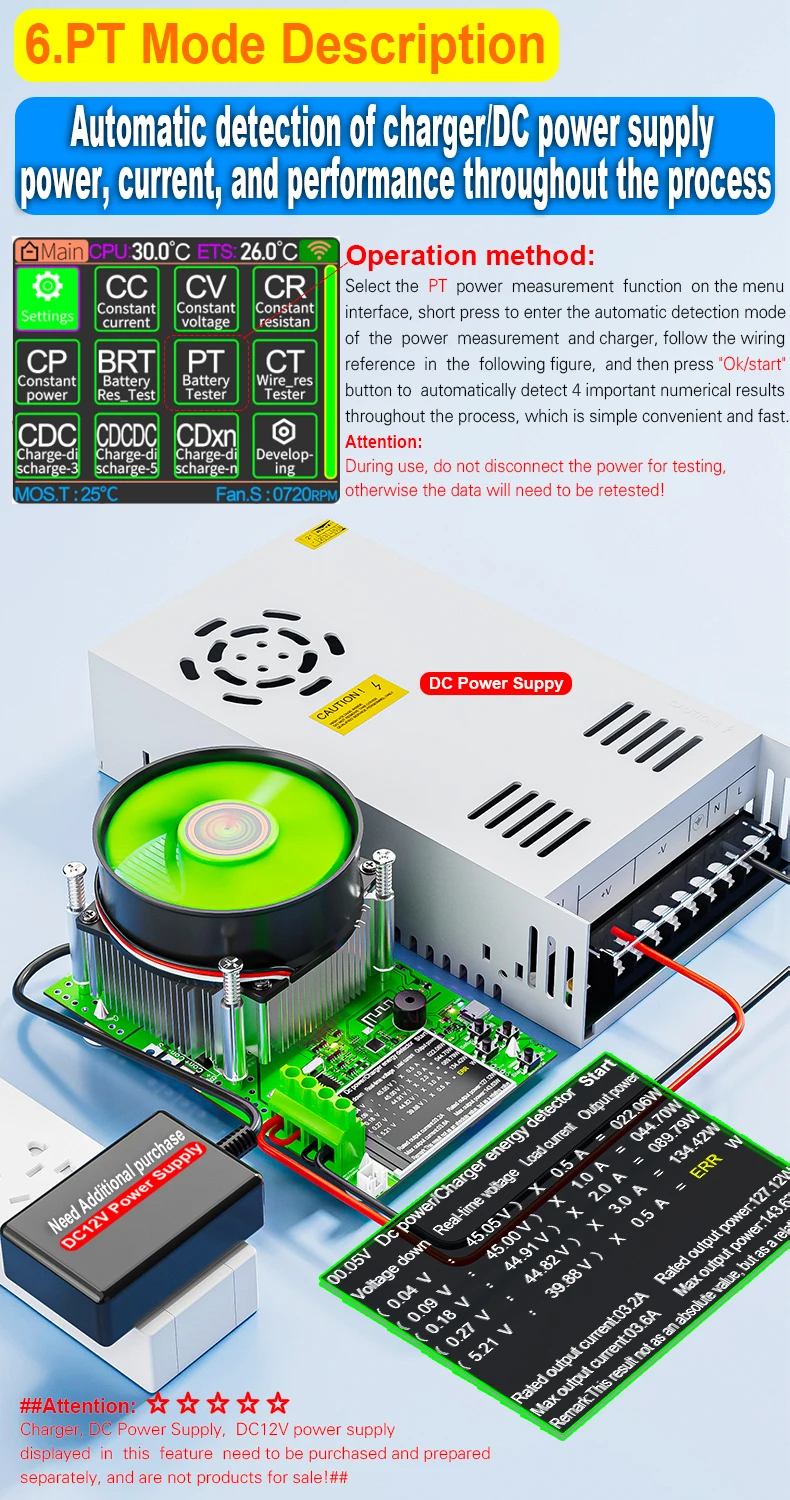
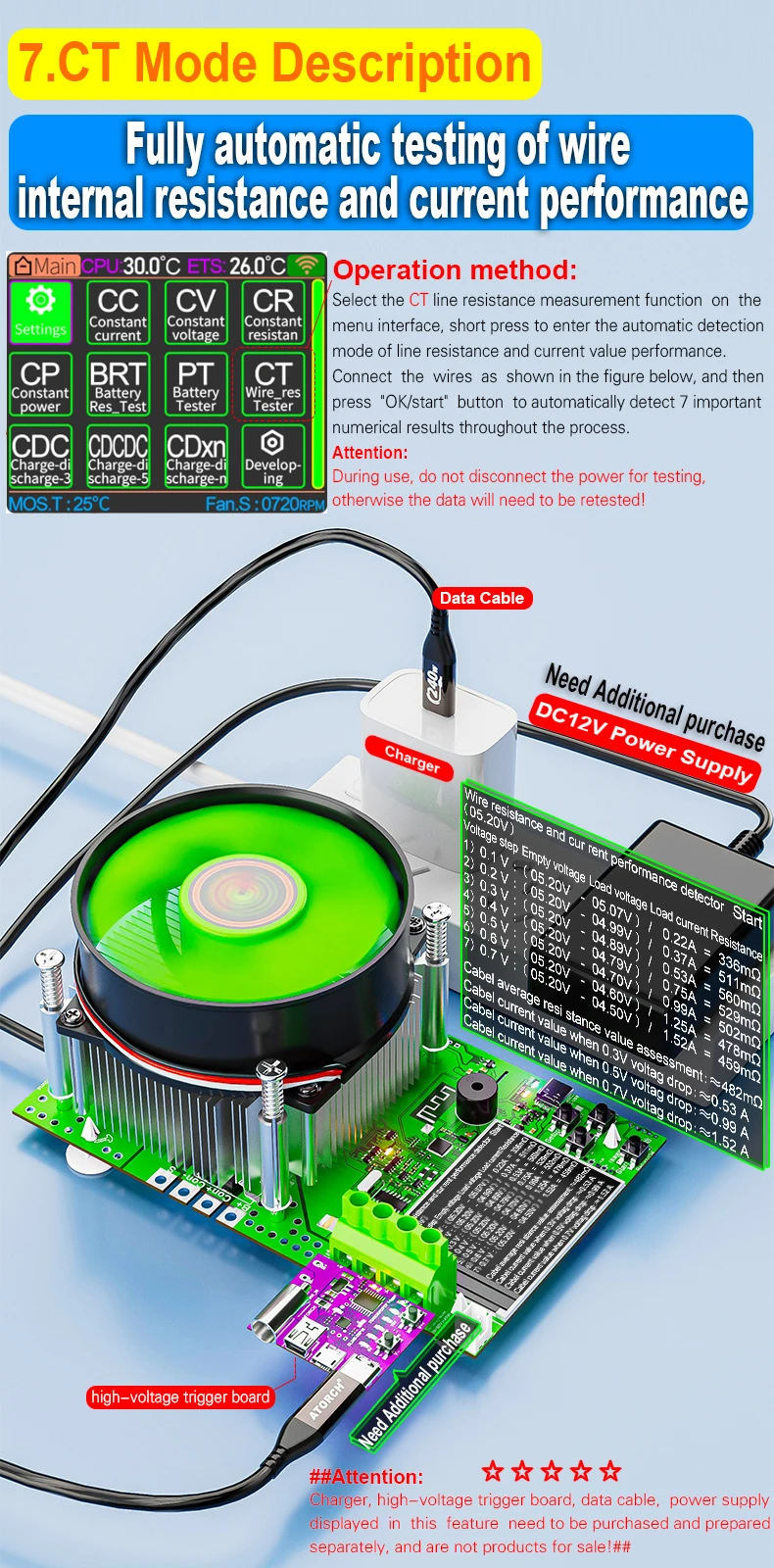
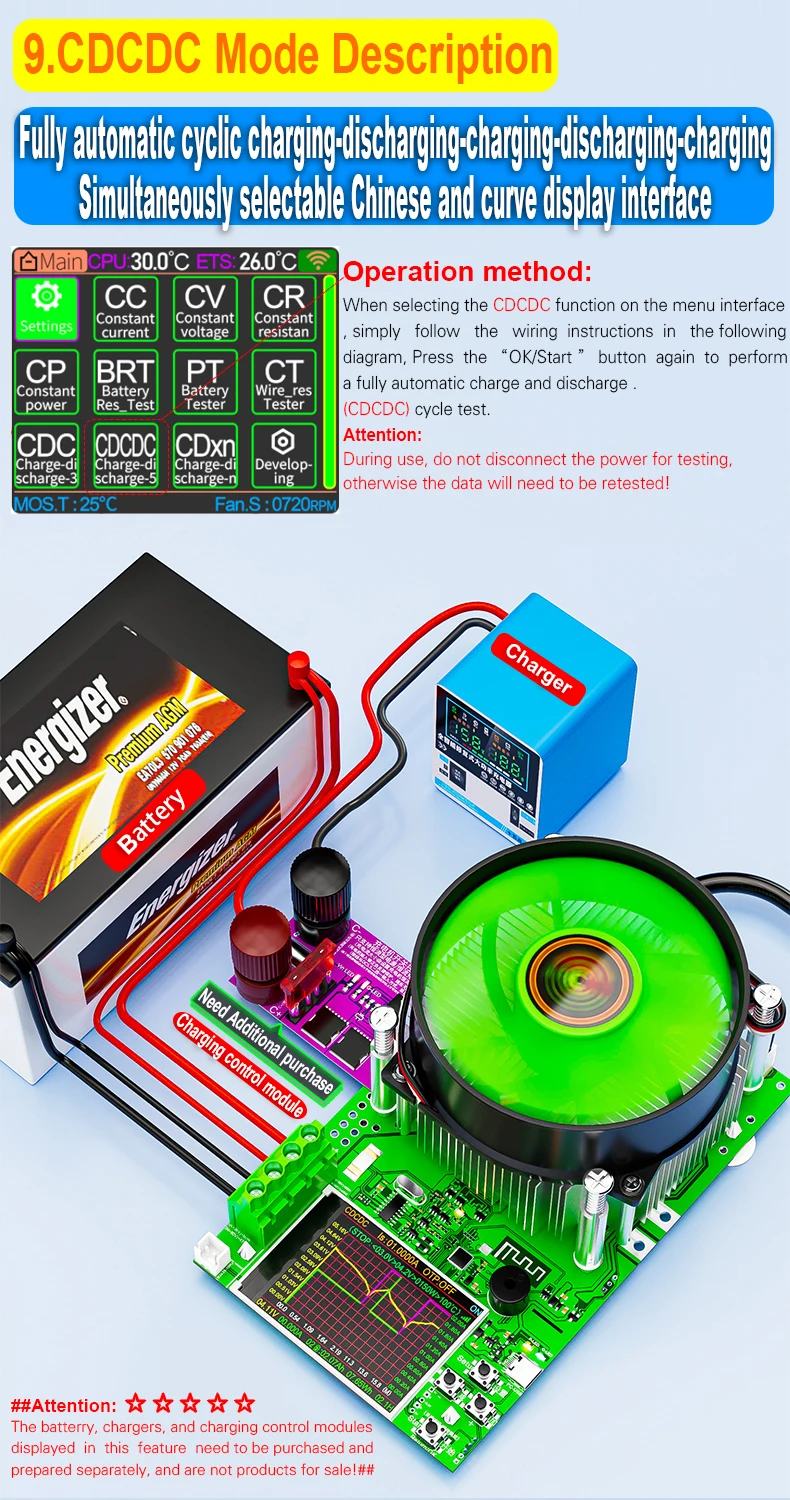
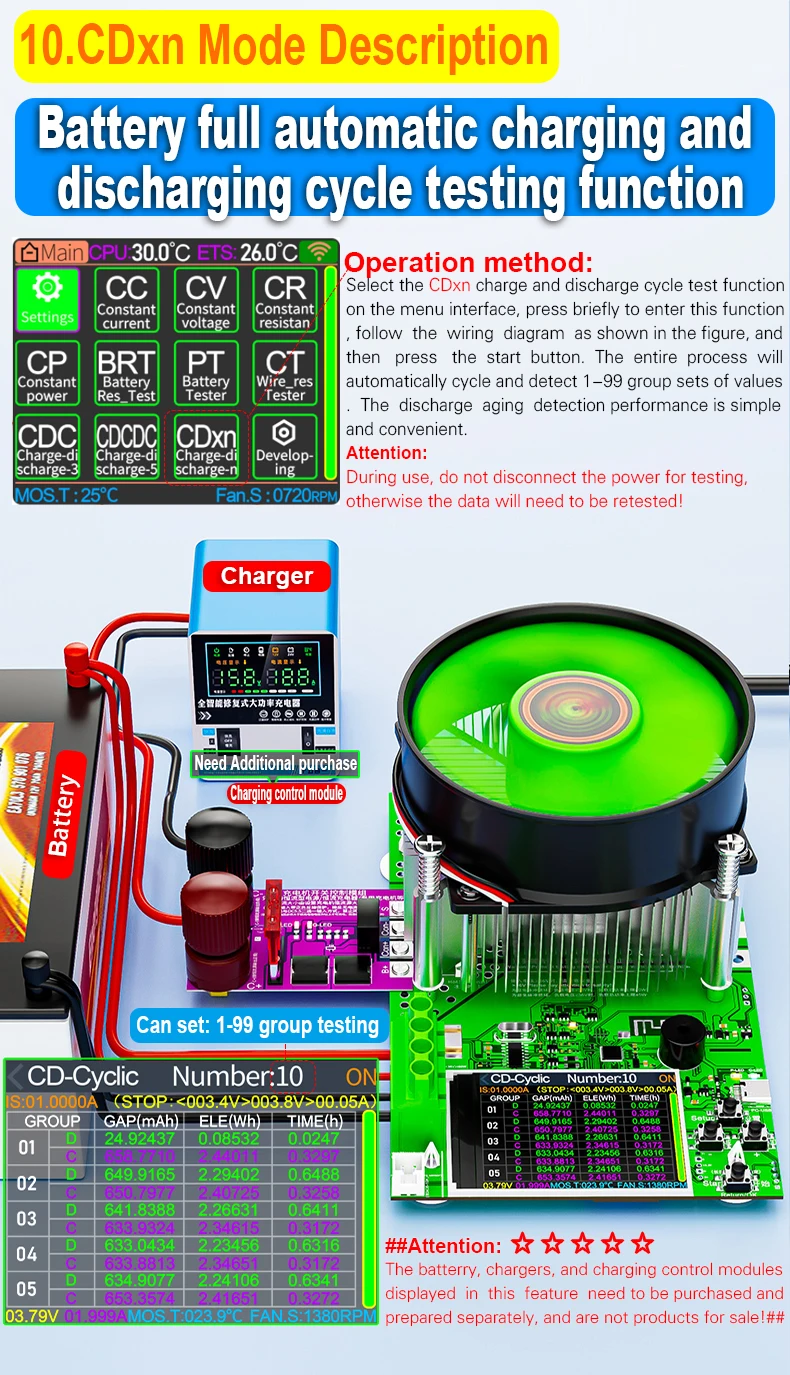
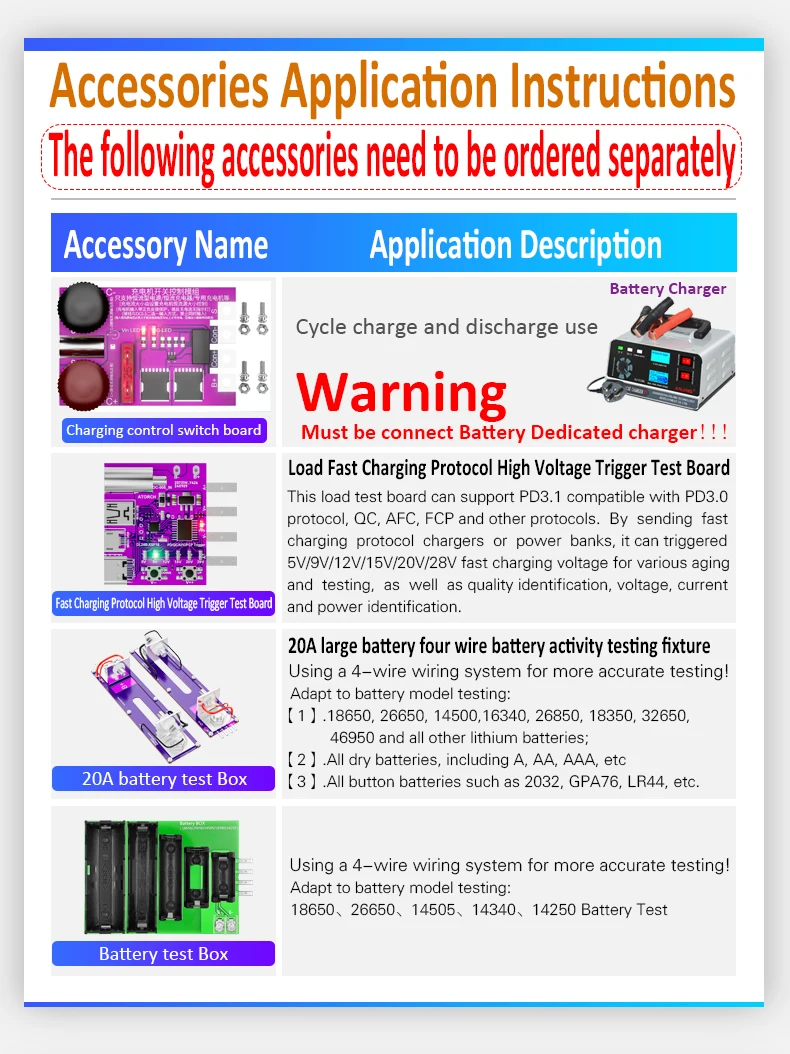
【other 3 tester Modes】Adding a charging control module switch can achieve battery charging and discharging cycle testing,Supports up to 90 times cycle tests
Note: This feature requires purchasing a charging control module switch package
1.CDC mode test
2.CDCDC mode test
3.CDxn mode test(at most 90 times cycle tests)
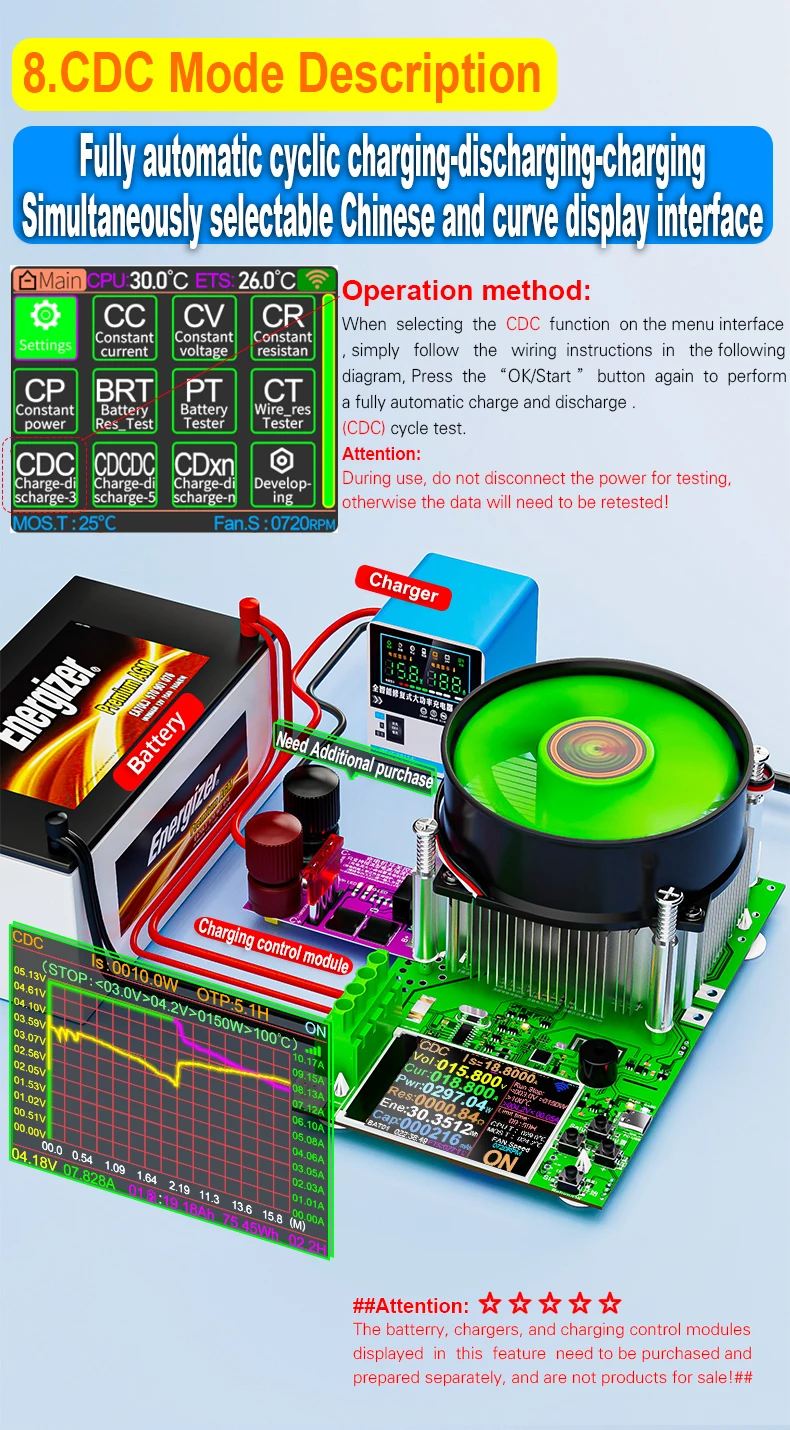
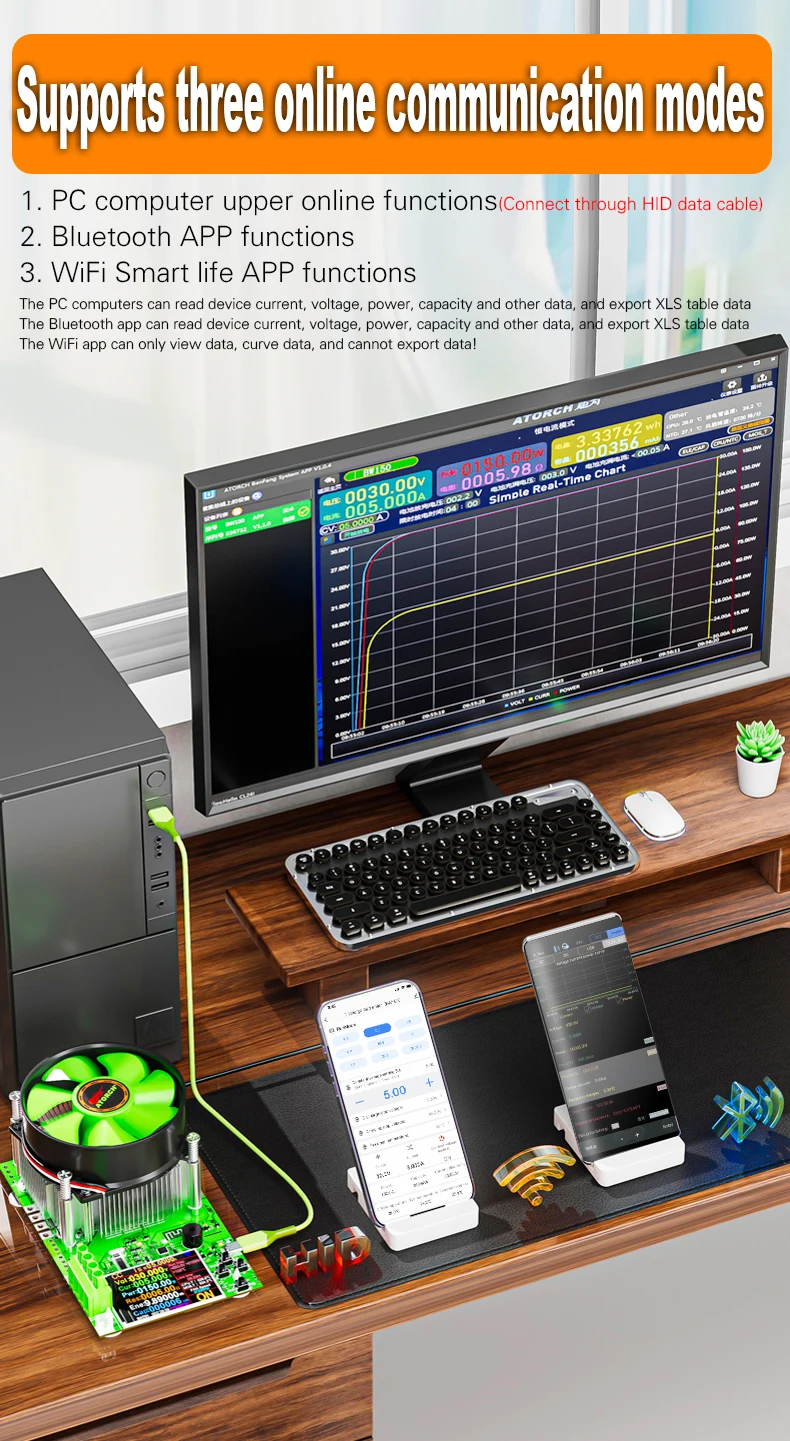
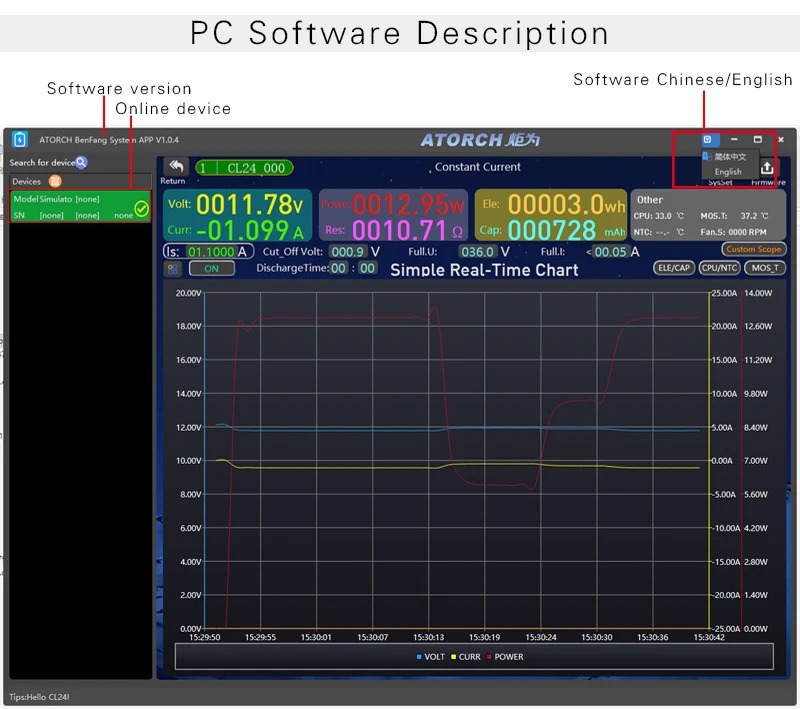
【Online PC view】: supported (all versions support HID default PC online)
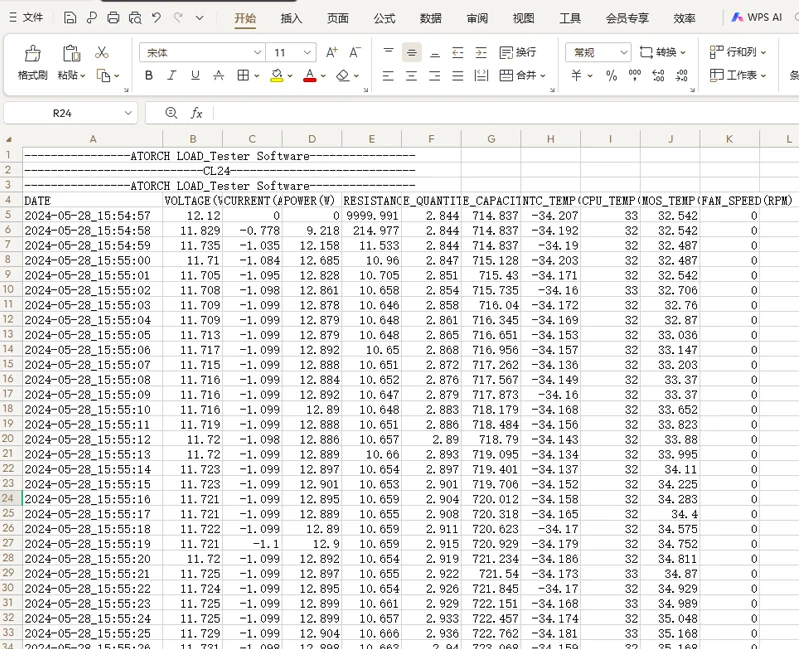
You can connect to the computer through the HID port.You can view curve data and export data such as time, voltage, current, and power
Software address download:
http://en.atorch.cn/NewsDetail.aspx?ID=84
Support for Win7 and Win10 systems
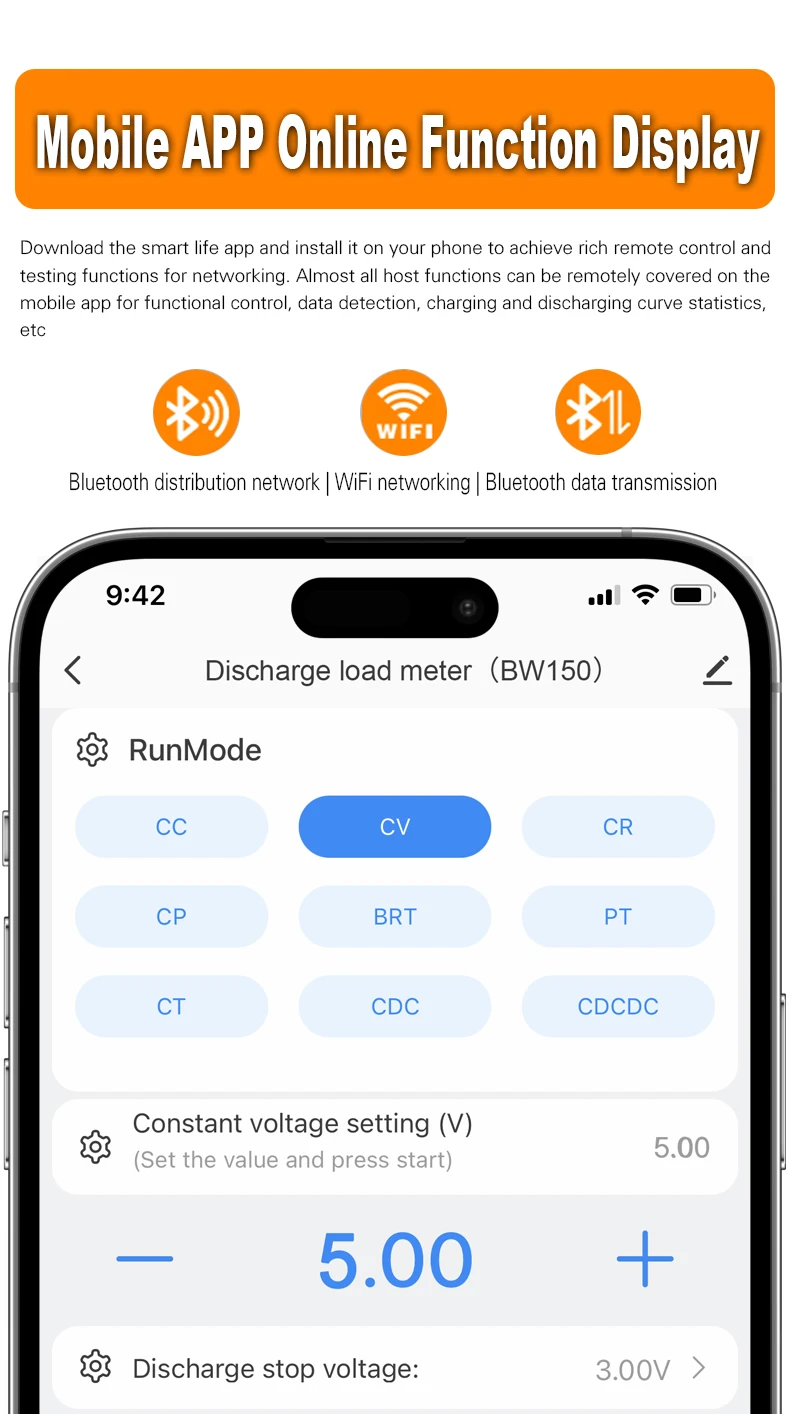
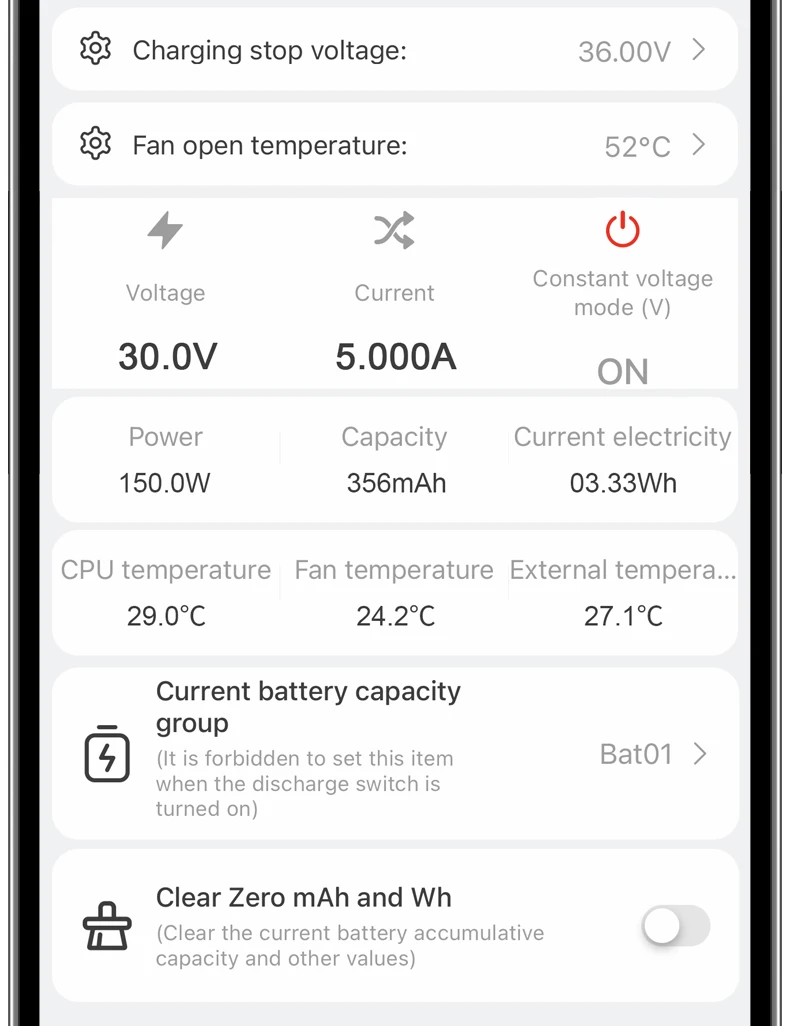
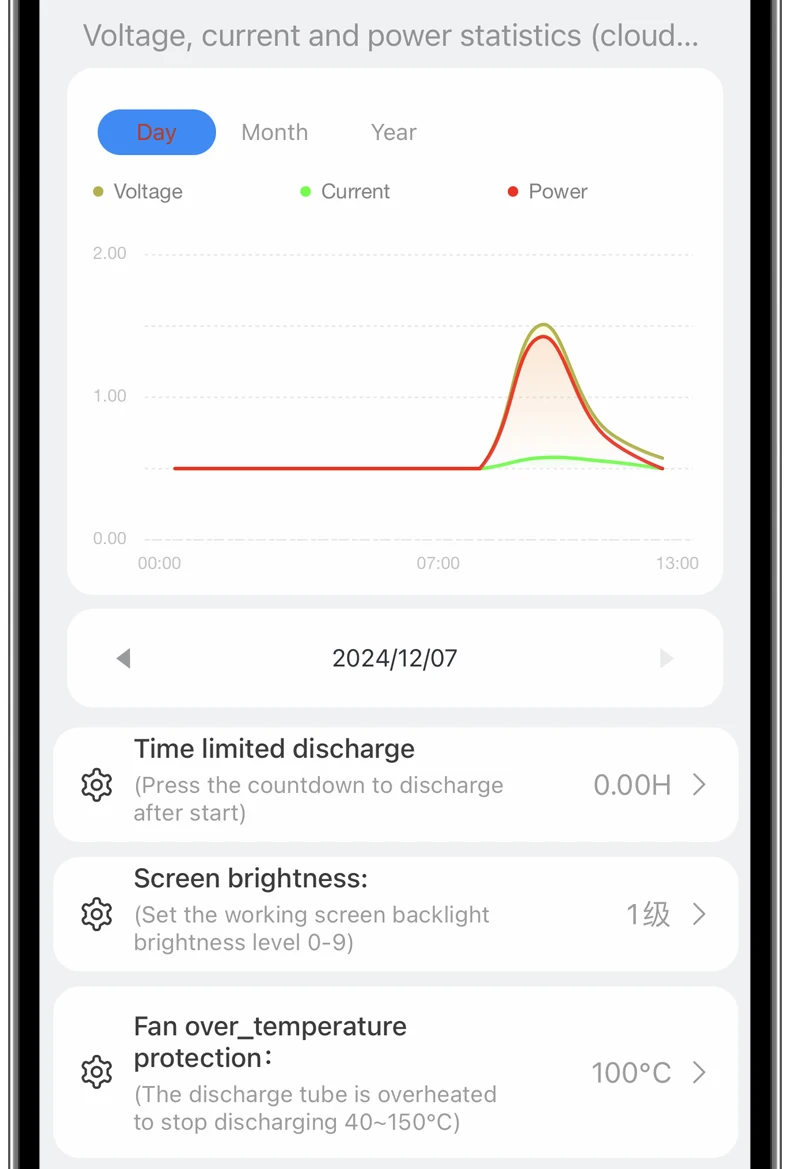
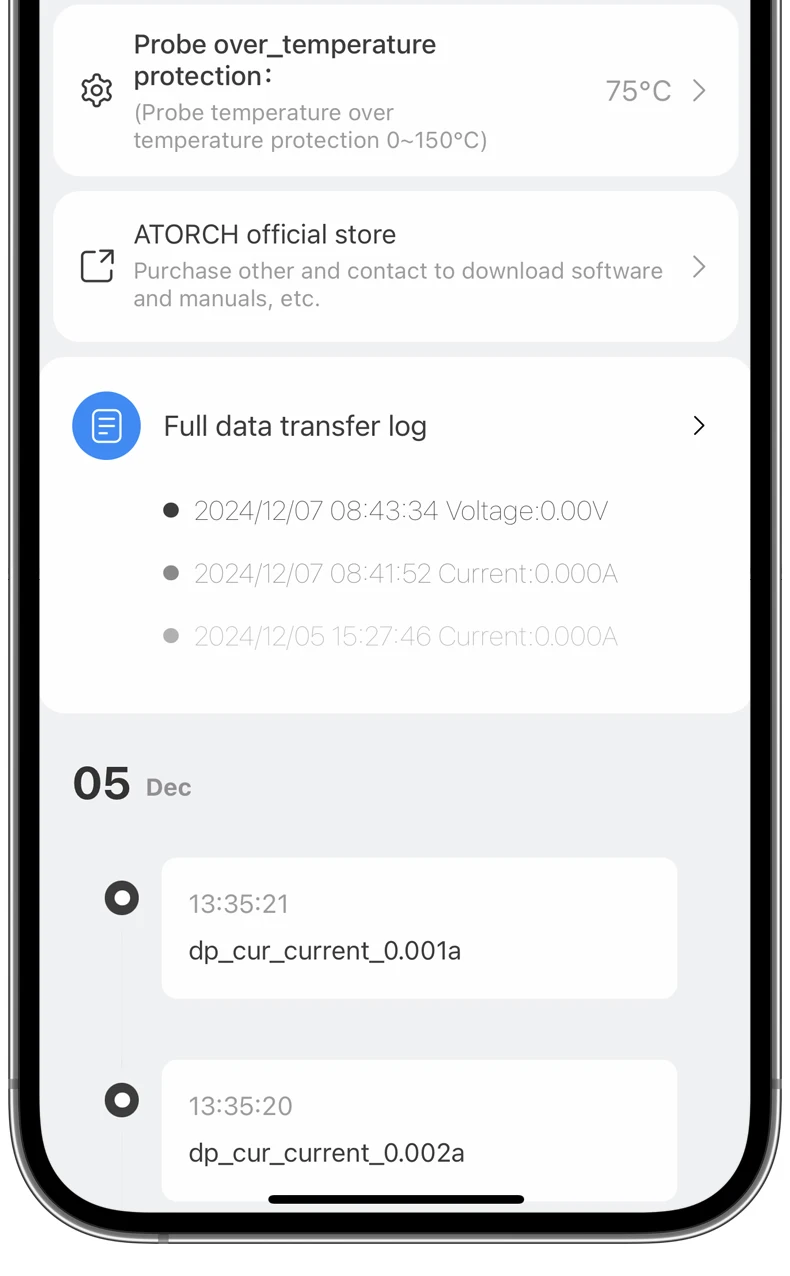
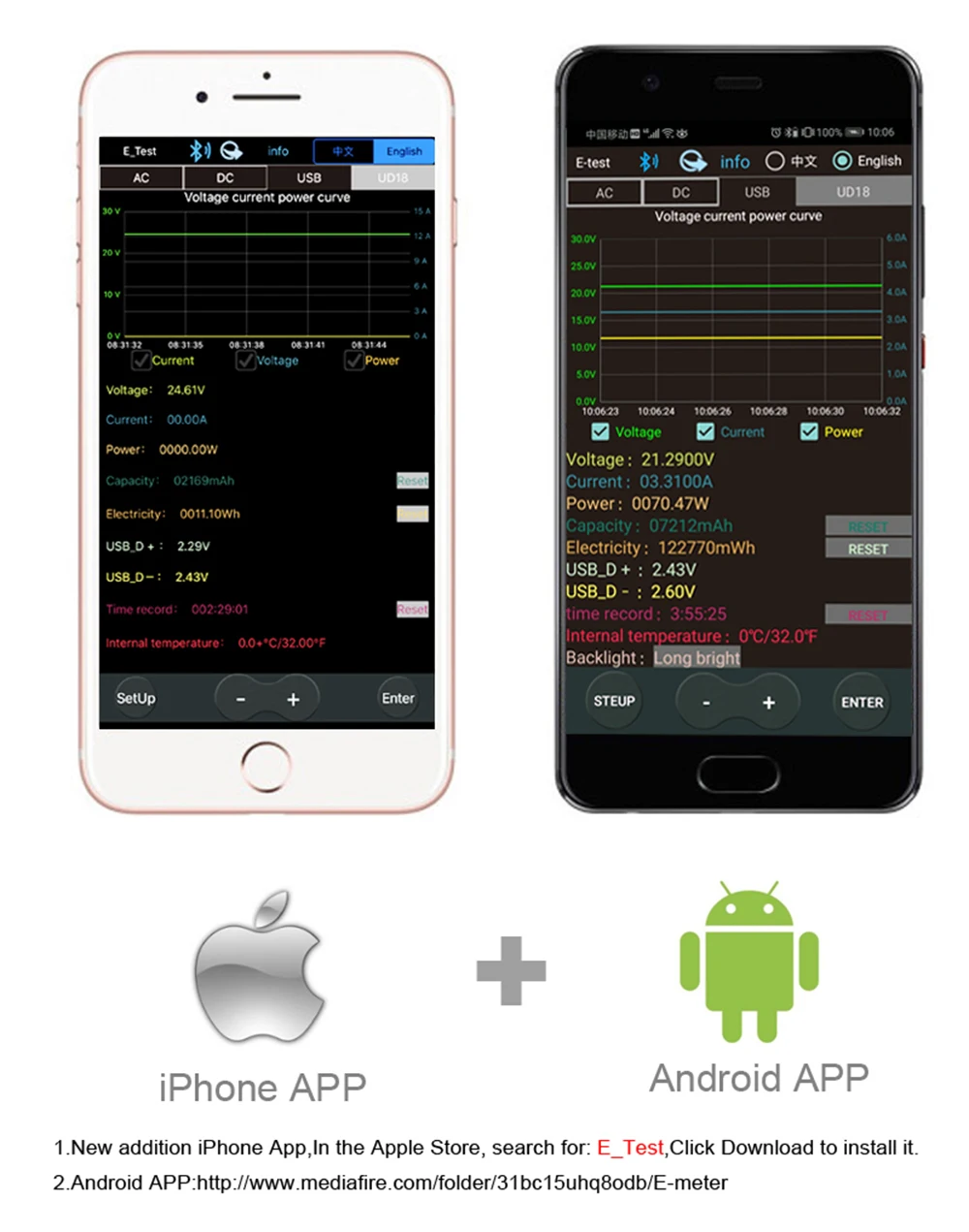
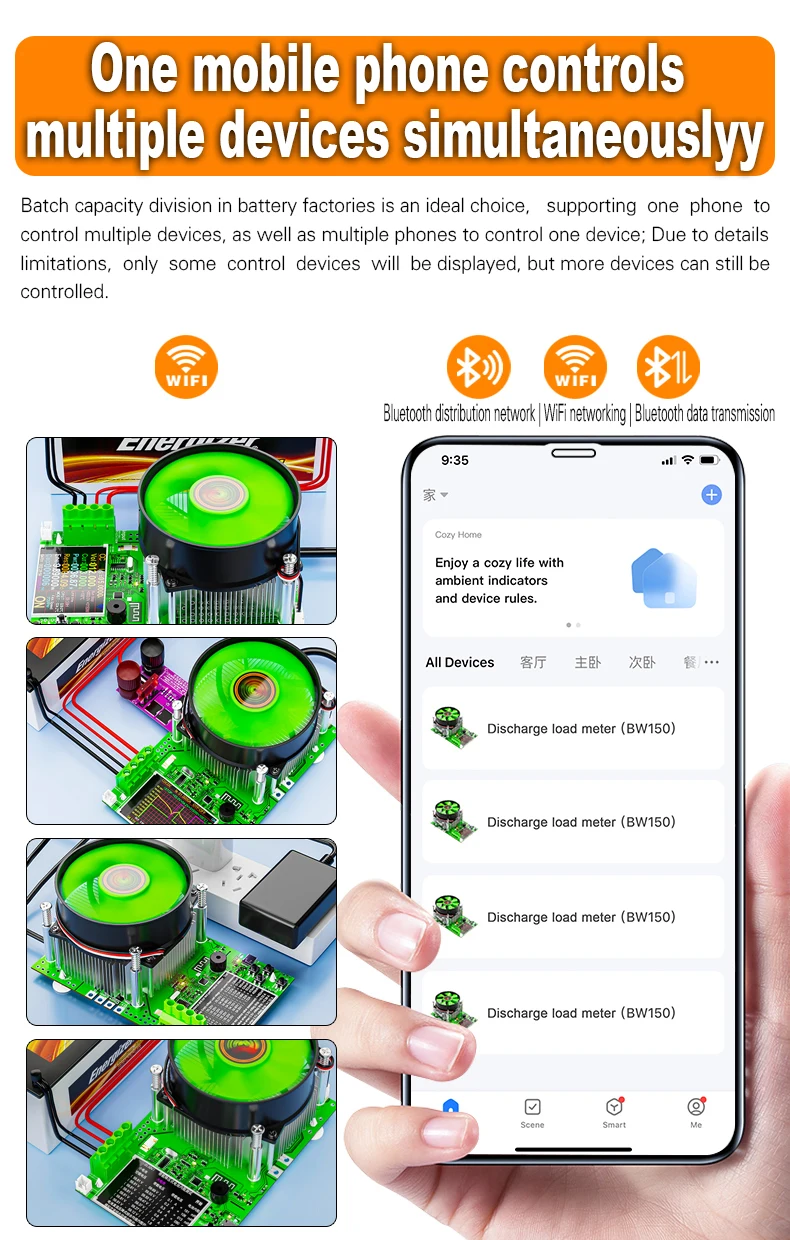
【Online Phone view】: Support for Android phones, Apple APP online testing
You can connect to the mobile Phone through Bluetooth module.You can view curve data and export data such as time, voltage, current, and power
Software address download:
1, IOS APP: search E_test on iphone APP store to download
2. Android APP: search E-test at Google play to down load or https://www.mediafire.com/file/0jiio43c0vuu1wx/U_Meter-Phone_mobile.apk/file
Supports Android 5.0 above and iOS 8.0 above systems!
Note:Some phones have incompatible apps (Samsung), please switch to another phone for pairing and online connection!
Attention:
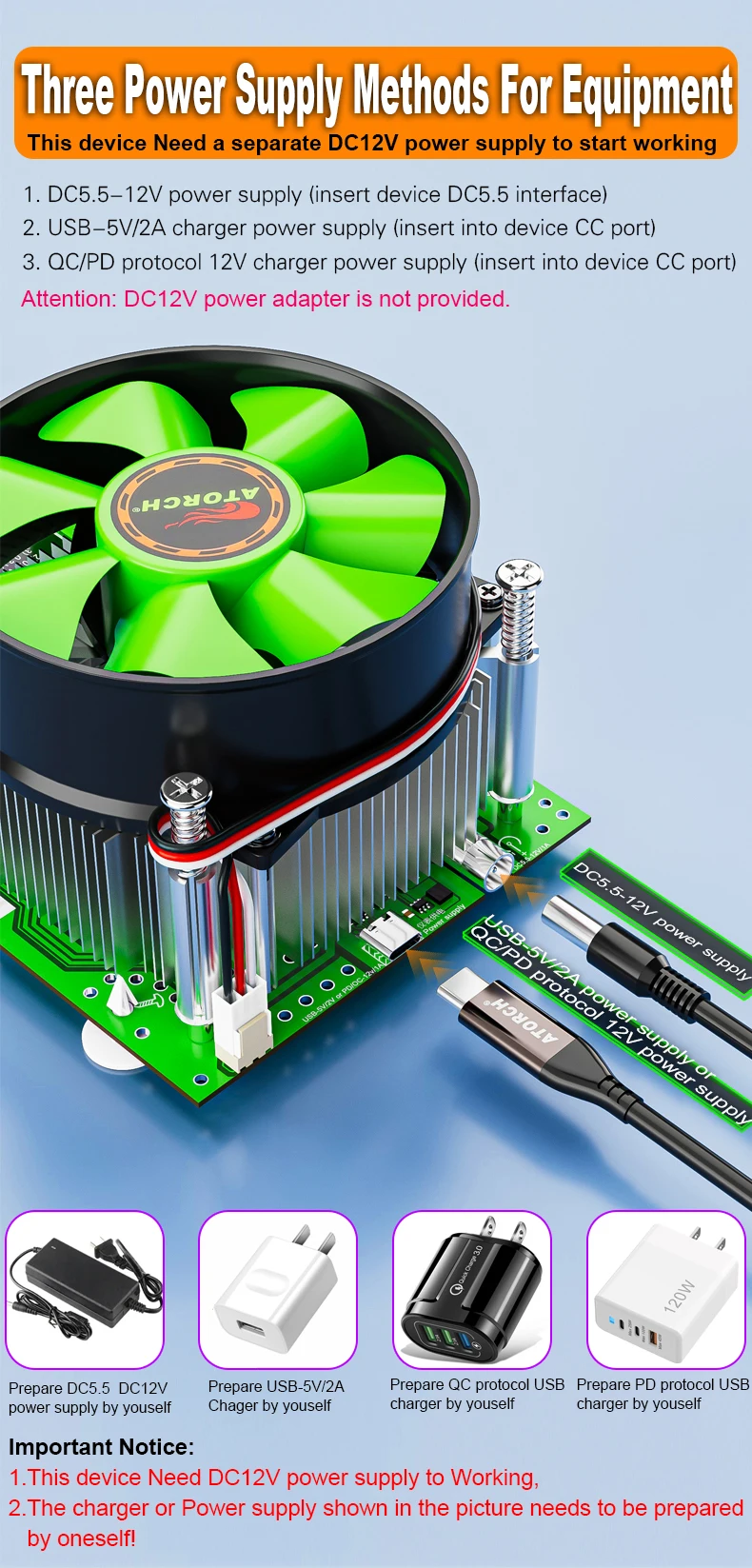
This product does not provide a power adapter and requires self powering. You can use the following three methods to power it
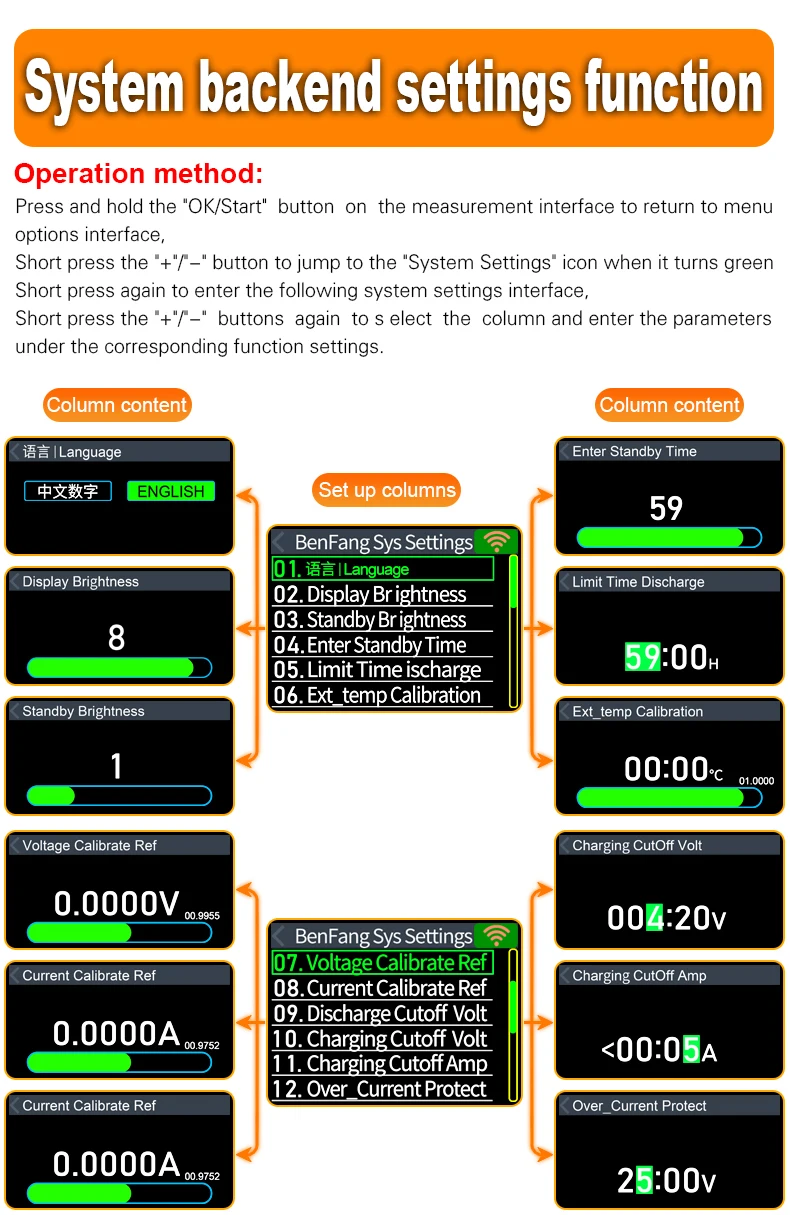
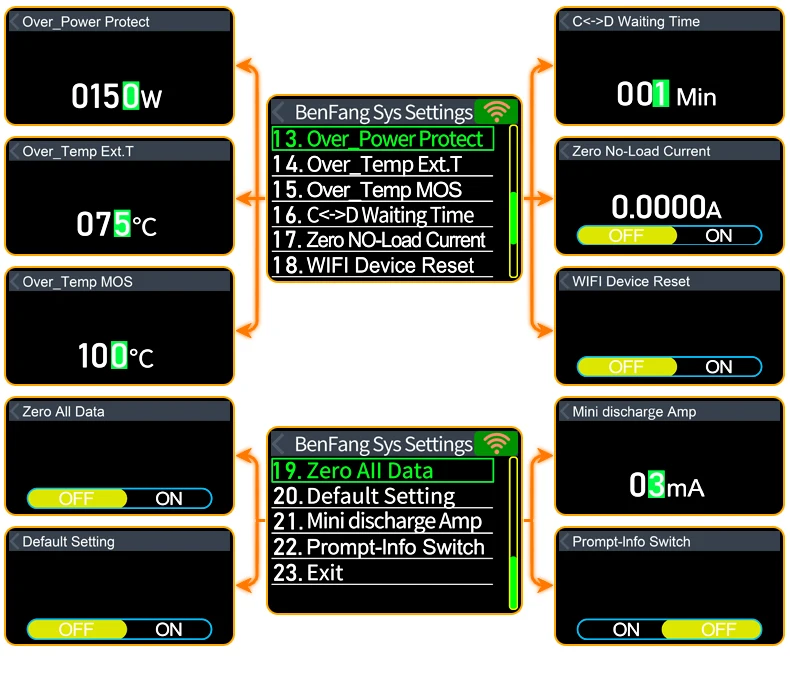
【Restore factory settings.】
①Device power ON
②Long press the Start button to enter the device background
③Select Factory reset
④.Long press the Start button to Return to the main testing interface
【Test external temperature】: supported
Supports external temperature detection, and the thin film temperature probe can detect battery temperature!
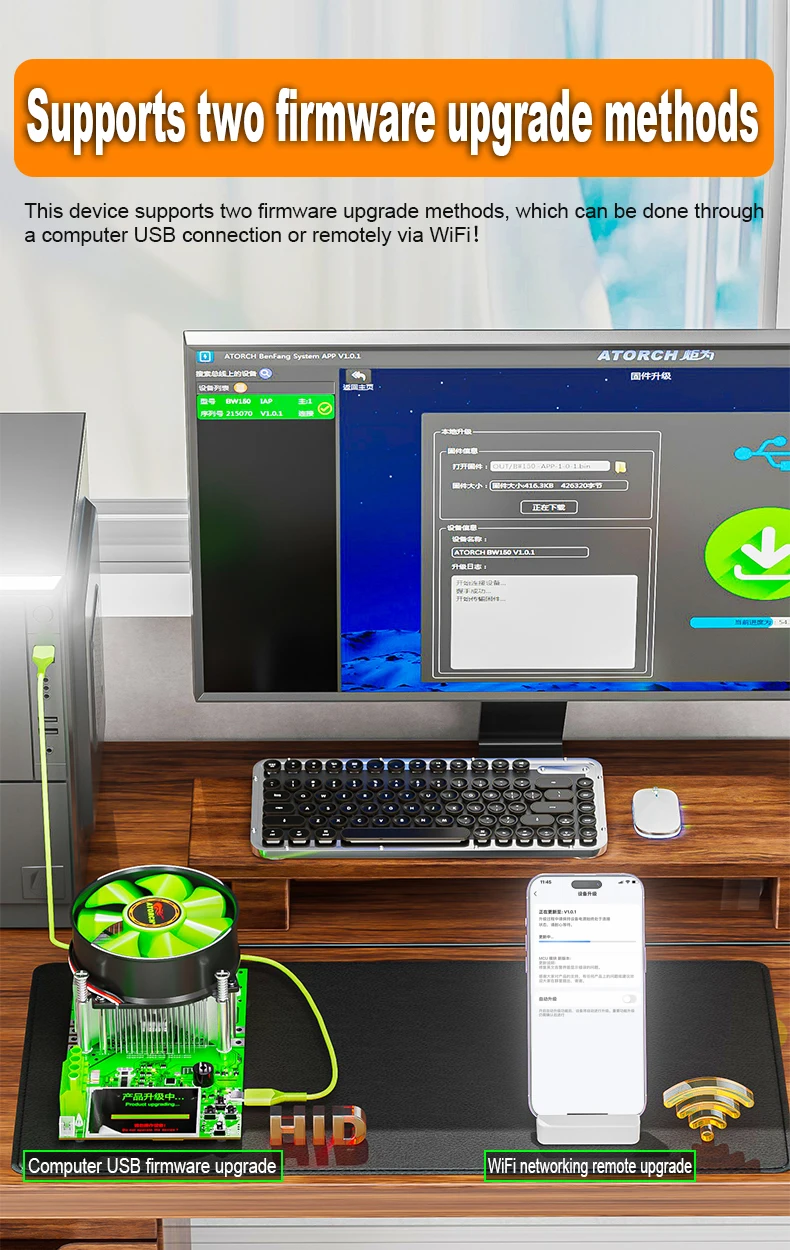
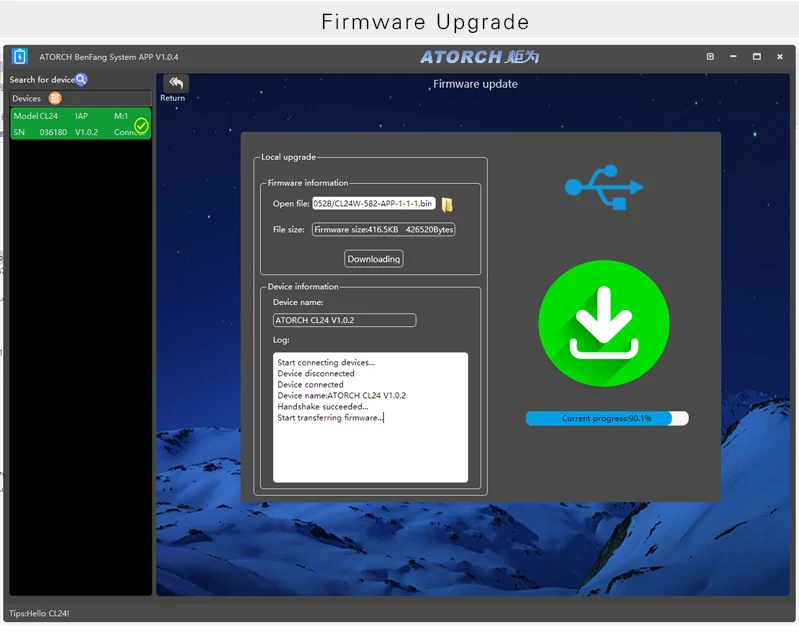
Supports two remote firmware upgrades
1. Computer firmware upgrade (all versions support HID default PC firmware upgrade)
2. WIFI remote firmware upgrade (Need purchasing a WiFi module to support remote firmware upgrade)
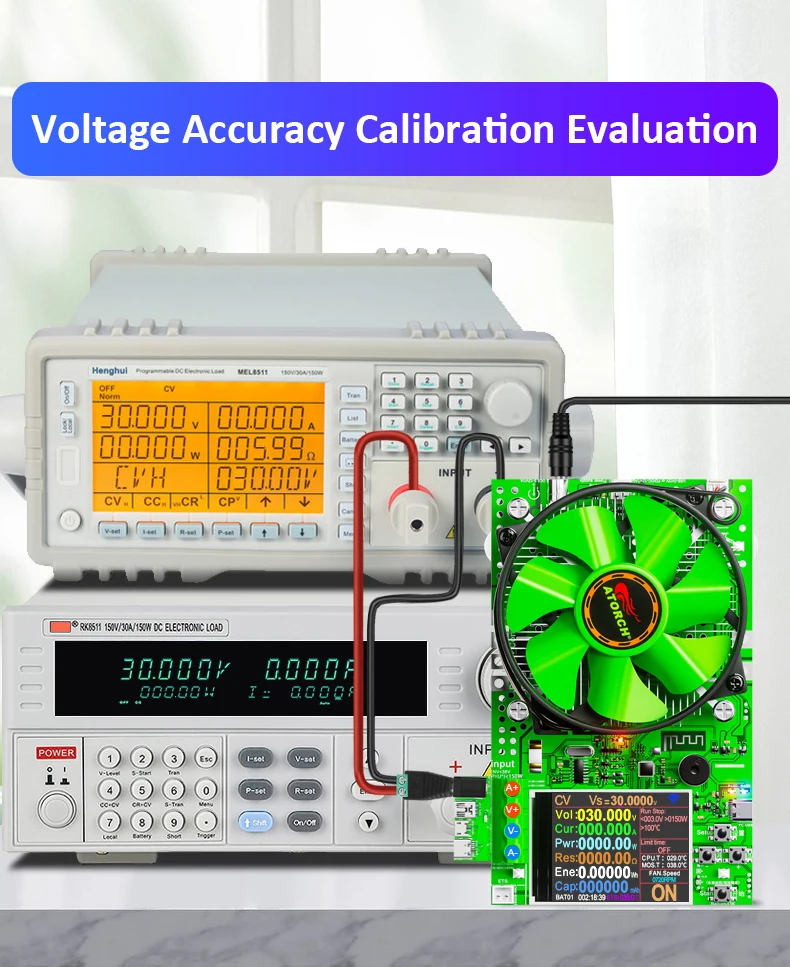
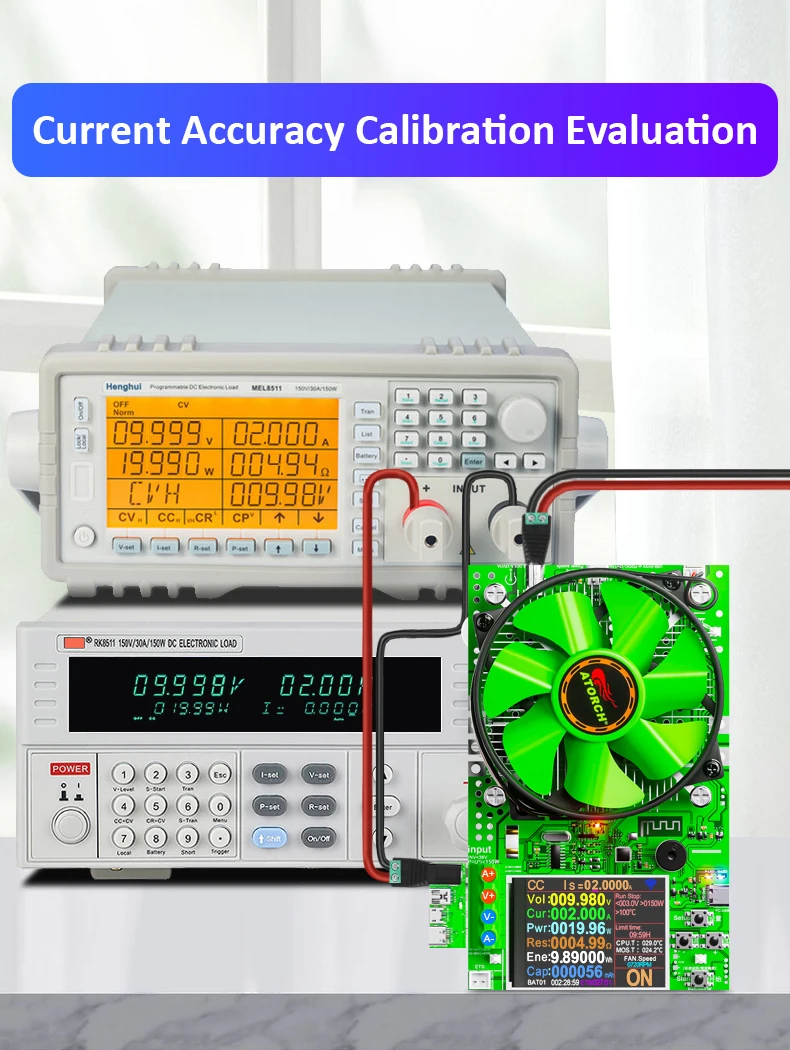
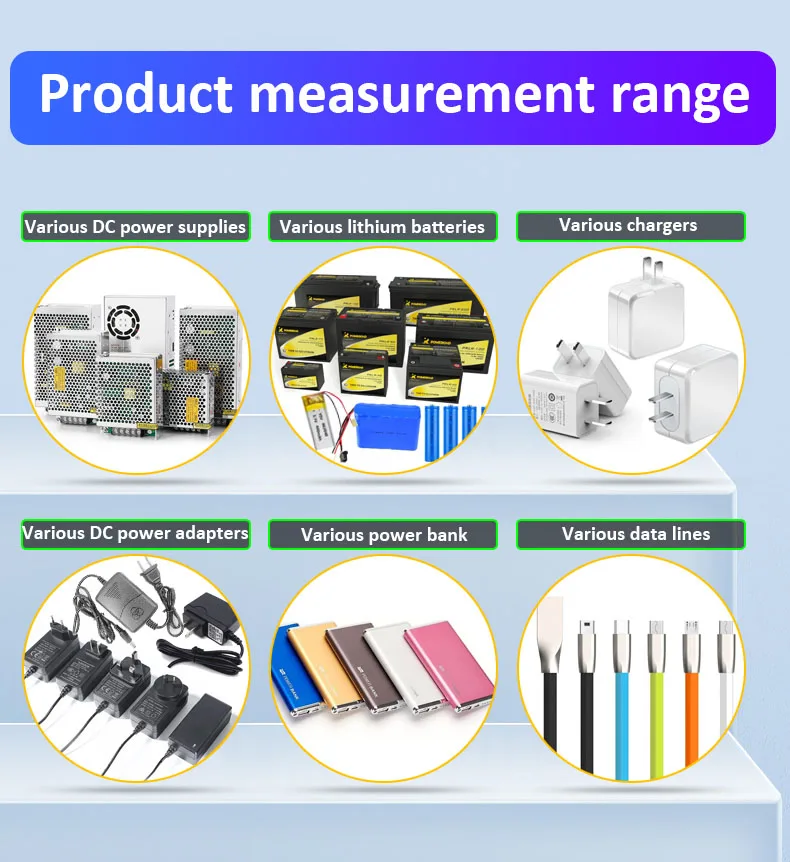
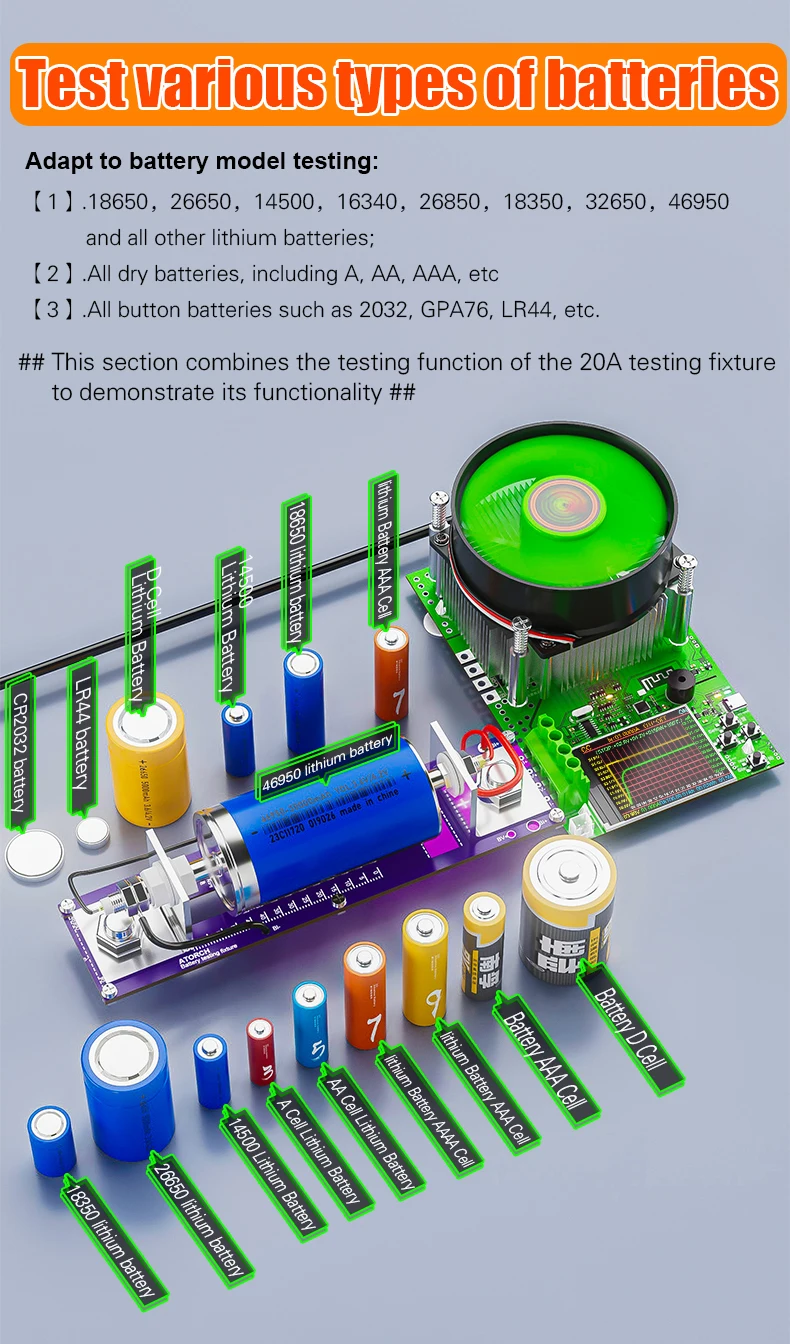
Charging module upgrade instructions
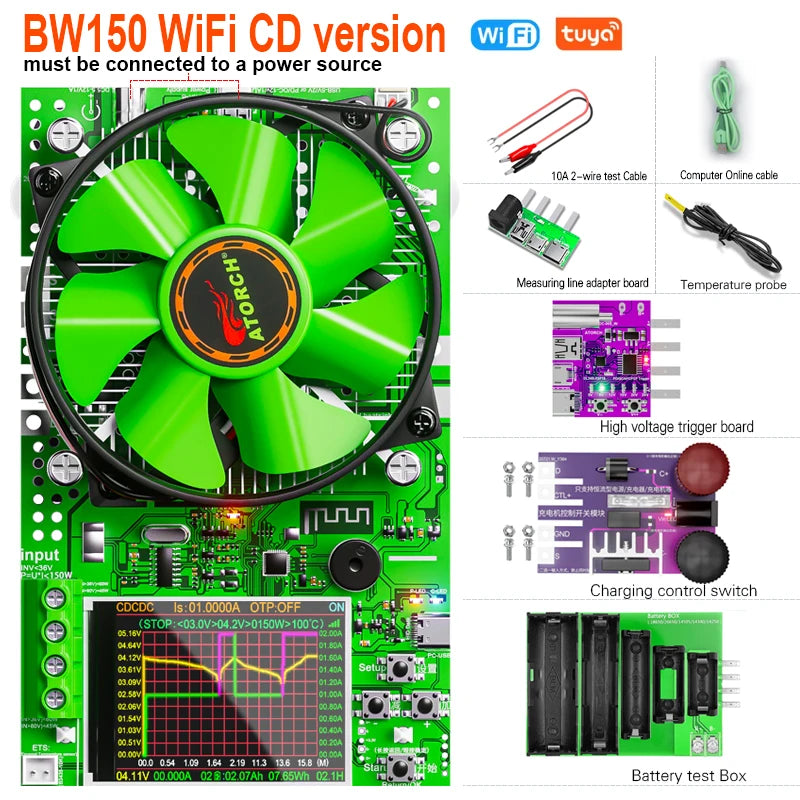
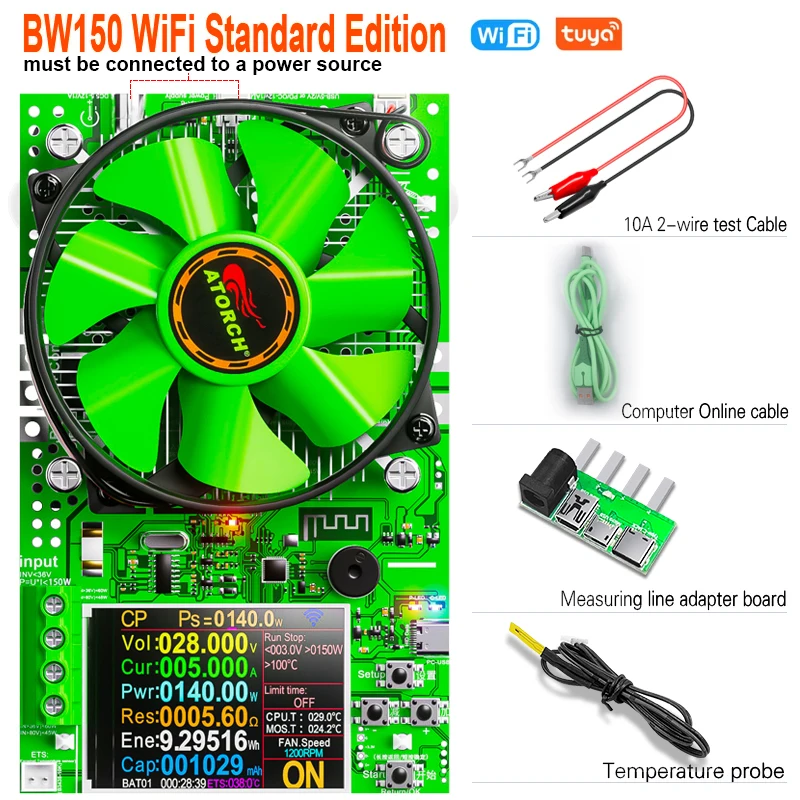
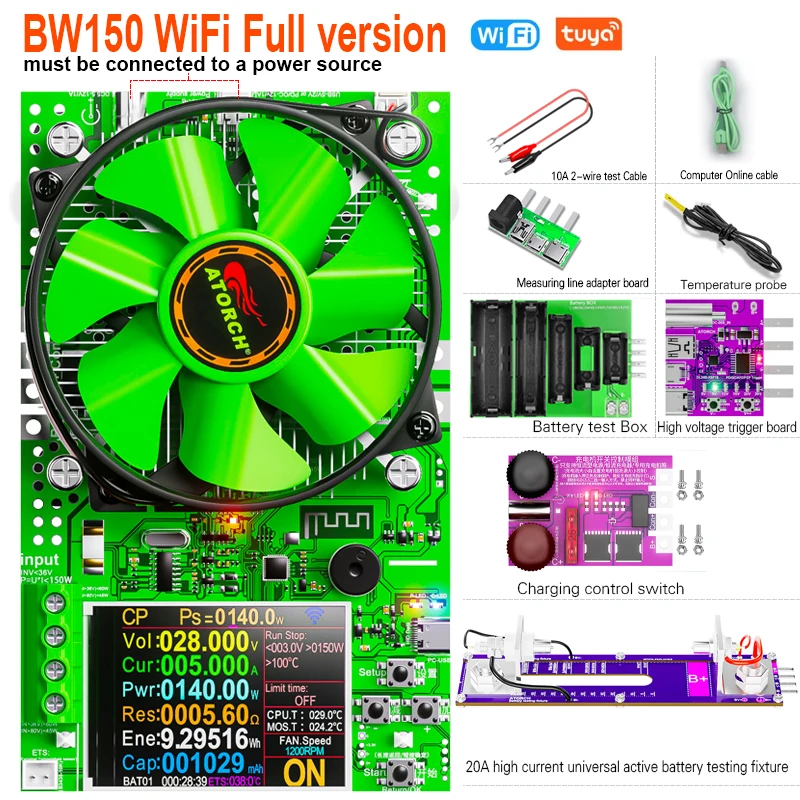
Product List 1
1.BW150 150W CNC electronic load x1
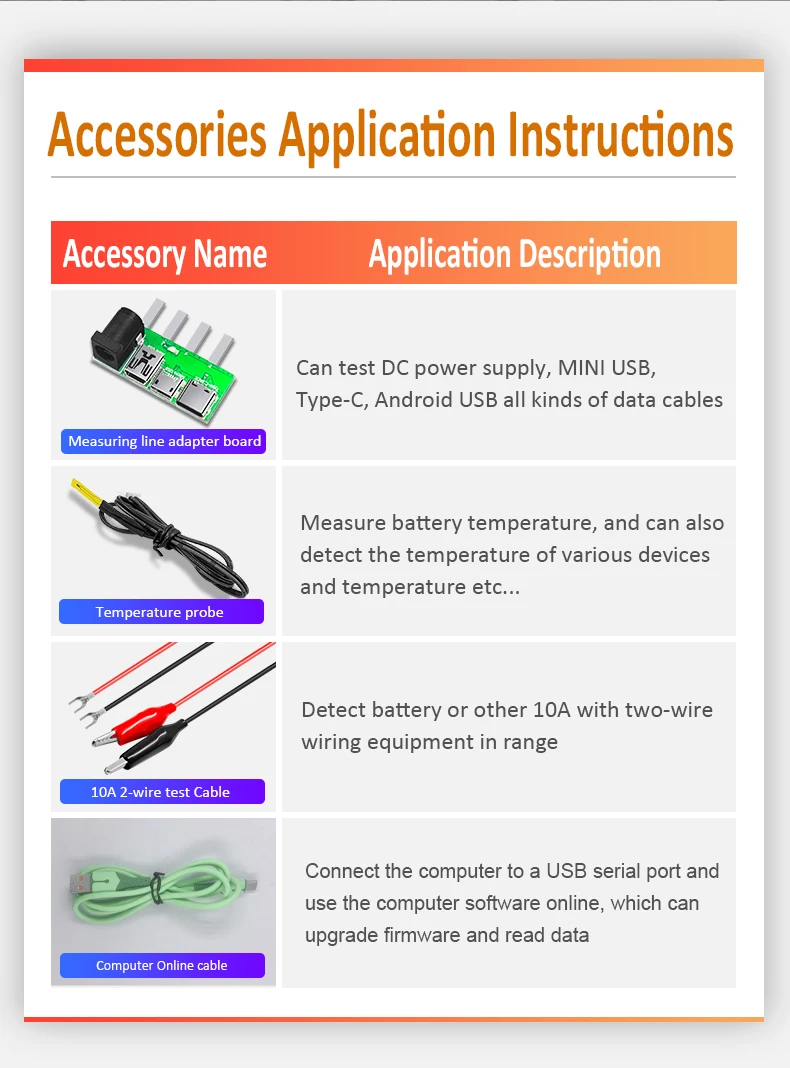
2.4 interface adapter X1
3.Temperature probe x1
4.10A crocodile clip experience testing line x1
5.PC computer online line x1
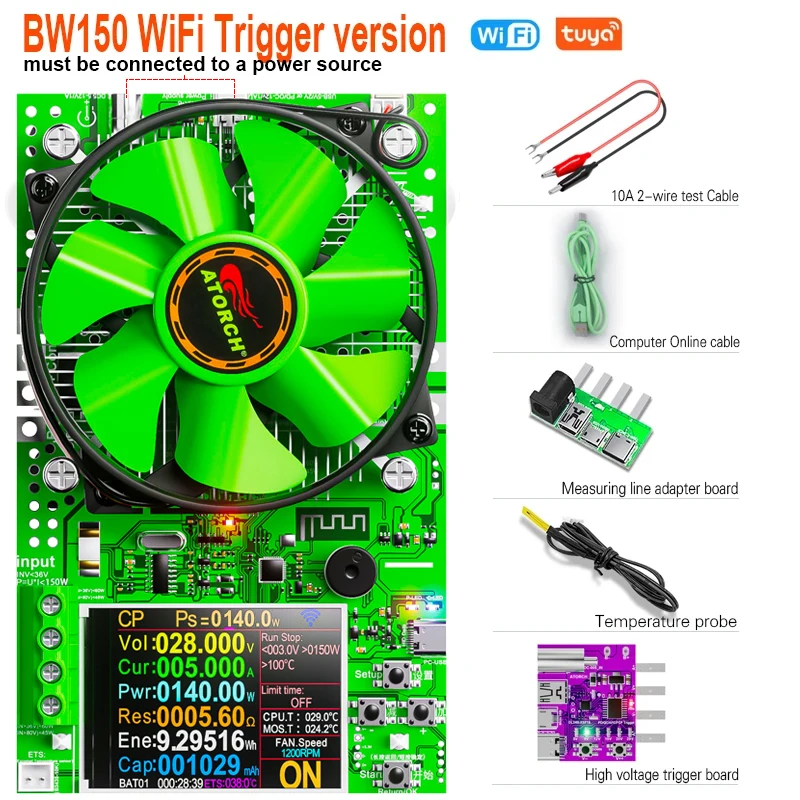
Product List 2
1.BW150 150W CNC electronic load x1
2.high voltage trriger board X1
3.4 interface adapter X1
4.Temperature probe x1
5.10A crocodile clip experience testing line x1
6.PC computer online line x1
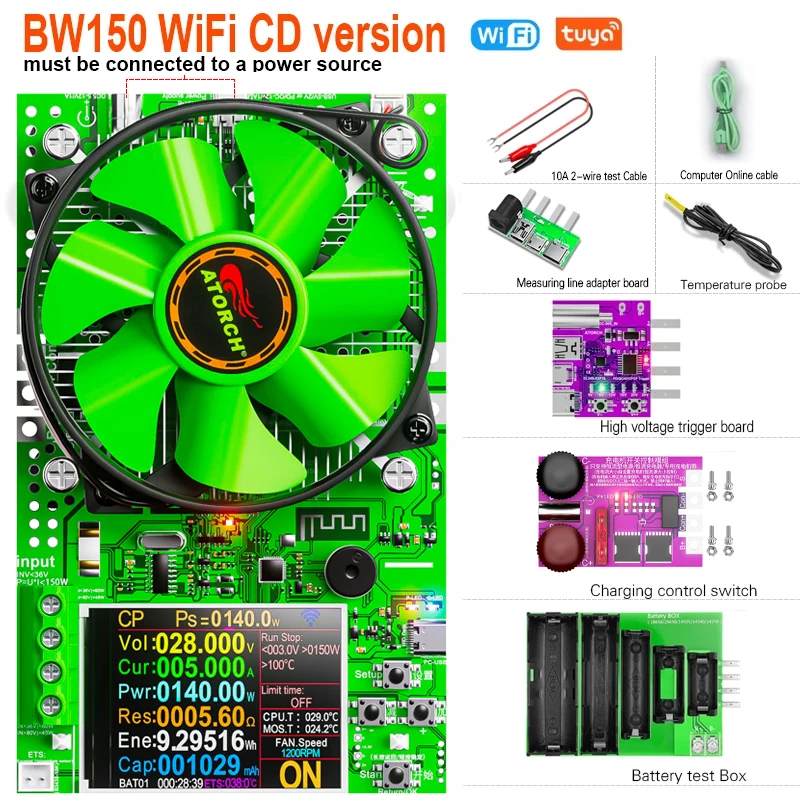
Product List 3
1.BW150 150W CNC electronic load x1
2.4 interface adapter X1
3.Temperature probe x1
4.10A crocodile clip experience testing line x1
5.PC computer online line x1
6.battery test box x1
7.charging control switch x1
8.high voltage trriger board X1
Product List 4
1.BW150 150W CNC electronic load x1
2.4 interface adapter X1
3.Temperature probe x1
4.10A crocodile clip experience testing line x1
5.PC computer online line x1
6.battery test box x1
7.charging control switch x1
8.high voltage trriger board X1
9.20A high current universal active battery testing fixture X1
About SOFTWARE QUESTIONS:
1. The APP crashes on my PC, what is the problem ?
A: For PC software, because there may be incompatibilities problems, please download first before buying , if you can download and install, you can place order, or else do not buying. If you don't test the PC software and APP function before buying and find that the products works fine except the PC software, we refuse to refund.For PC software, it only support win 7 and Win 10 above for now.
2. Why are there _BLE and _SPP modes and which one to choose?
A:Our APP adopts the latest connection technology, please do not pair in Bluetooth mode, directly click on the E-test (Android APP name) APP provided by us, click the Bluetooth symbol, E_test (Apple APP) select the _BLE Bluetooth name to proceed connect, that's it ok!
_BLE:is connected in mobile mode
_SPP:is connected in PC computer mode
3.What is the computer pairing password?
A:Password is "0000" or "1234"
4.Does it support WIFI mode?
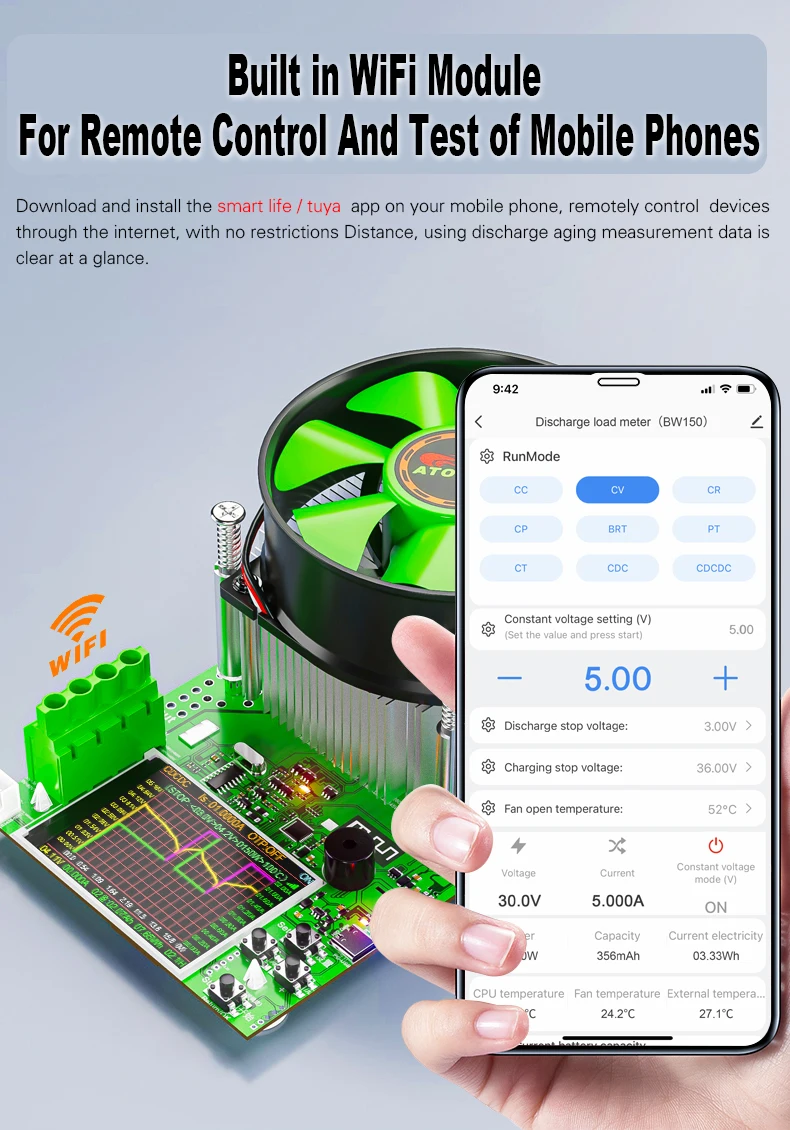
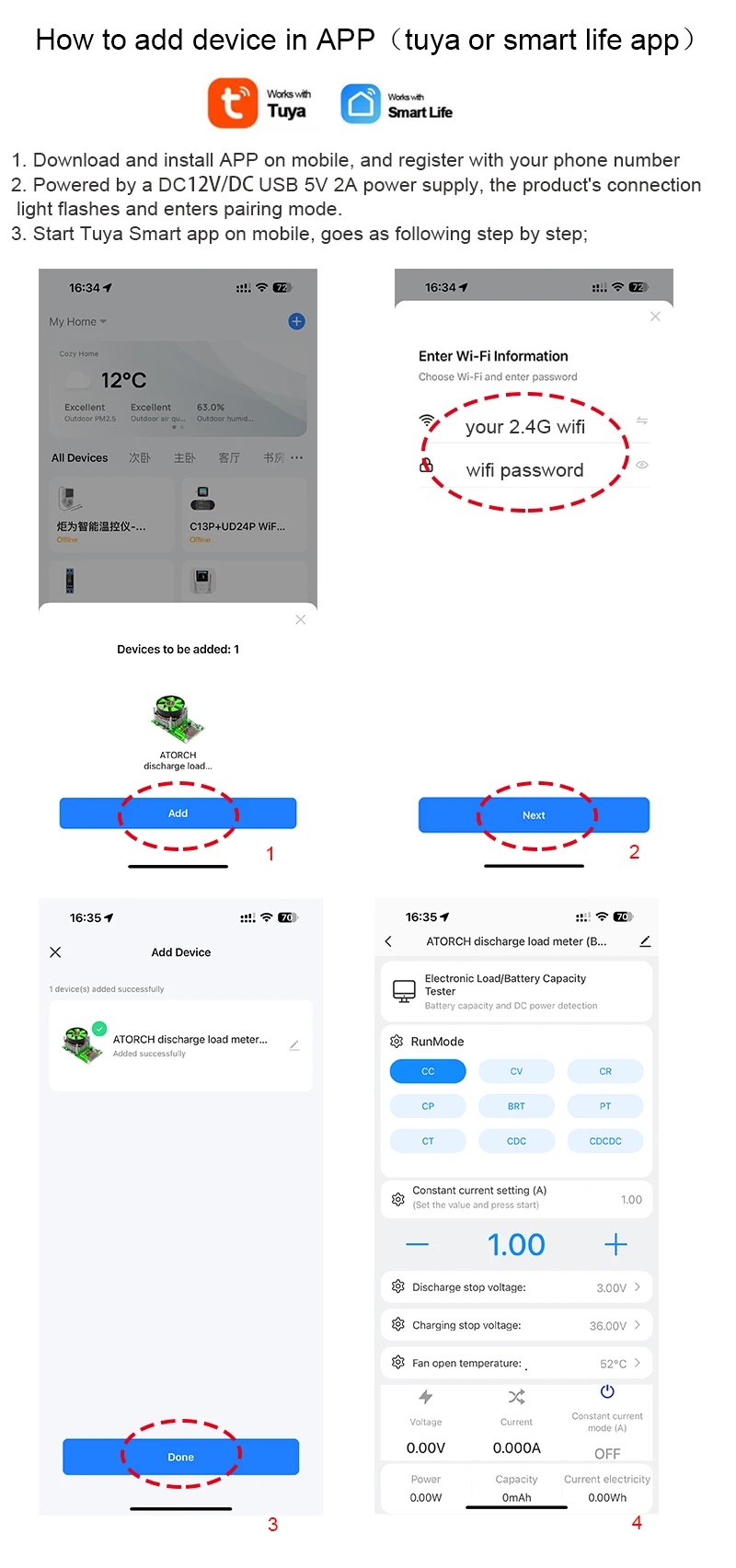
ASupport, Need to purchase WiFi module,connected via wireless mode!
5.Why only supports 2.4G networks and not 5G?
A: Yes, only supports 2.4G networks